Intermediate1203 Videos

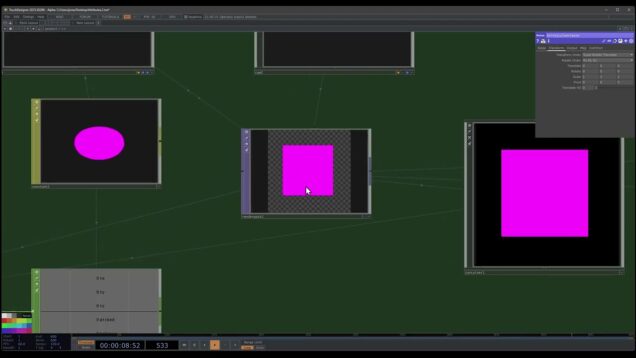
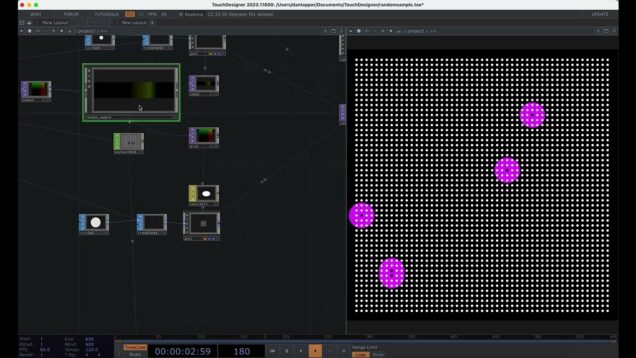
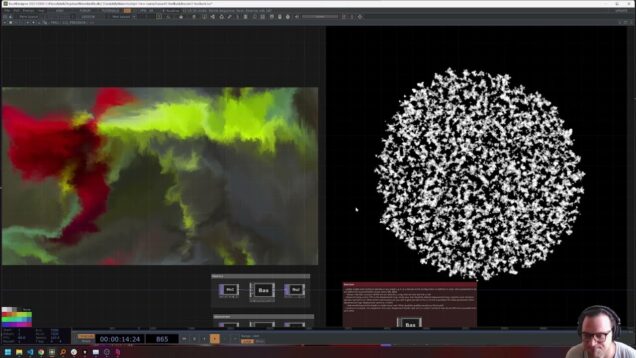
TouchDesigner GLSL Effect: Dithering – TouchDesigner Tutorial 217

Get access to 200+ hours of TouchDesigner video training, a private Facebook group where Elburz Sorkhabi and Matthew Ragan answer all your questions, and twice-monthly group coaching/mastermind calls here: http://iihq.tv/Trial In this video with Lake Heckaman, create a retro, stippled effect in TouchDesigner with Bayer dithering — turning smooth gradients into wavy, pixelated patterns with […]
Scene Loading 3: Preloading Scenes in TouchDesigner

Learn how to preload a collection of scenes so you can quickly switch between them for a live performance or an installation! Like the previous part, this one gets into some more Python but it goes through things line by line so no prior Python experience is needed. Downloads: https://www.patreon.com/posts/134214245 Patreon: https://www.patreon.com/c/tekt Scenes: https://drive.google.com/file/d/1ZbefGVPJ8HaJVg-GRZlVC9SCUh-65i5L/view 0:00 […]

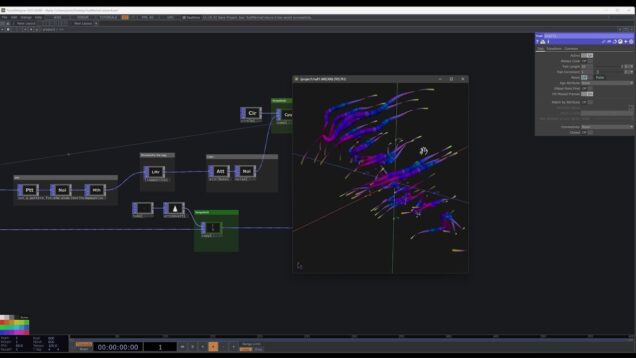
46 Build A LOT of Procedural Tubes With POPs #touchdesigner

Comment and link to the project in patreon coming soon 🙂

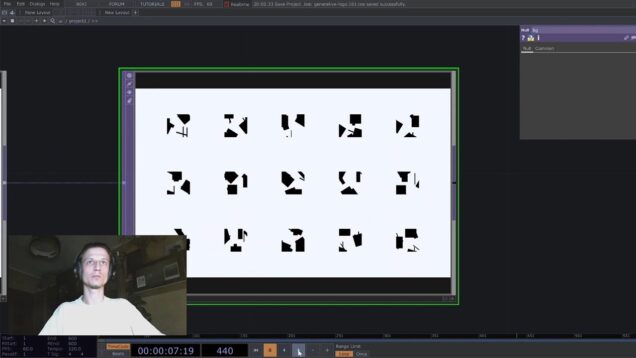
Generative Image Fragmentation | Touchdesigner Tutorial

In this tutorial, we will see how to take a single image and deconstruct it into multiple fragments—then reassemble those pieces to form a visually striking, layered collage. This technique is directly inspired by the amazing work of Patrik Hübner. Links: Support me on Buy Me a Coffee: https://buymeacoffee.com/g3n0m4/extras Get this file: https://buymeacoffee.com/g3n0m4/e/439316 Instagram: https://www.instagram.com/g3n0m4/ […]

Generative Sea slugs – Pattern POP + custom attractor TouchDesigner

A simulated sea slug. A dive into using the pattern POP to make generative organisms. Project file patcher level here: https://www.patreon.com/posts/generative-sea-134966247?utm_medium=clipboard_copy&utm_source=copyLink&utm_campaign=postshare_creator&utm_content=join_link mulit slug +attractor tox component level: https://www.patreon.com/posts/generative-sea-134966397?utm_medium=clipboard_copy&utm_source=copyLink&utm_campaign=postshare_creator&utm_content=join_link Fin rotation code: import math def onCook(scriptOp): # Input CHOP has 3 channels: x, y, z (heading or direction vector) vx = scriptOp.inputs[0][‘x’][0] vy = scriptOp.inputs[0][‘y’][0] vz […]

45 Attributes #touchdesigner

Description will come very soon!

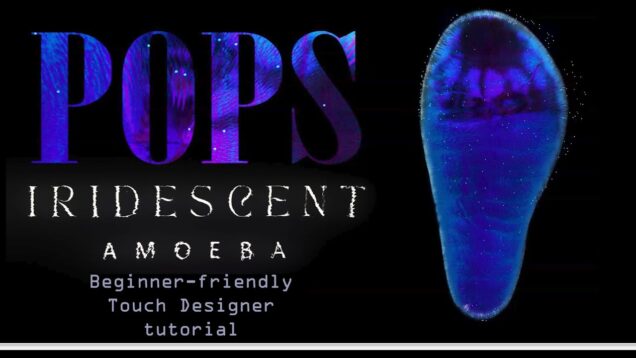
TouchDesigner Tutorial for Beginners – Fuzzy Iridescent Creature with POPs

Project File and community here (all files FREE for a short time) – https://patreon.com/lauraalice Connect with me – www.instagram.com/LauraAliceArtist Welcome to my first-ever Touch Designer tutorial! Today is fully beginner-friendly, I take the time to explain each element as I go along. Feel free to ask me any questions!

I turned my monitor into a touchscreen | TouchDesigner Tutorial (Part 3)

This is the final video in a 3-part series on using the Slamtec RPLidar A1 to create interactive visuals in TouchDesigner. Let’s combine what we did in the previous videos and make the visual respond to several touches! I tried to keep the tutorial short and to the point, so I couldn’t go into every […]

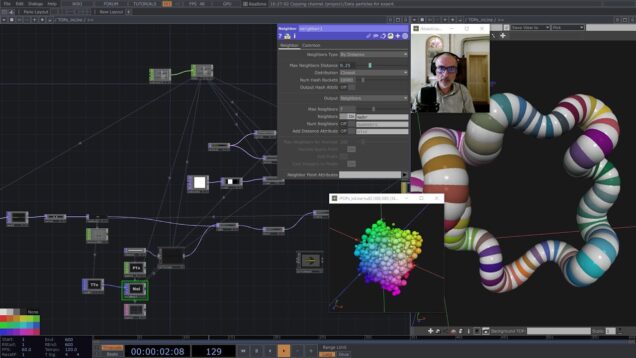
neighbor POP in TouchDesigner

This is my second tutorial using POPs, even though we only use neighbor POP. My favorite operator for which I found an easy way to use its data. This file, along with one made in POPs (using the same inline texture approach), will be available on my patreons in the tier 2 ‘play’. There will […]

SwitchOP tools for maximum comfort and control [Patreon Exclusive] #touchdesigner

This is a Patreon Exclusive component, get it here: https://www.patreon.com/posts/134305581 We all use Switch operators a lot, and we’ve all had some intrusive thoughts about it. I went ahead and implemented all of them: Select menu; Cook control; Colorize; Reorder inputs; Rearrange nodes – and much more!!! Let me know if you have any more […]

Smooth Point Cloud Sprinkles with UV Unwrapping in TouchDesigner

In this tutorial, I show how I get evenly distributed points across geometry surfaces. The trick: combining world position texturing with UV unwrapping. I also cover how to create satisfying transitions between different point clouds using the Matte TOP. Genoma’s Tutorial: https://www.youtube.com/watch?v=nqTpxNIuNdA&t=1782s Rodin text-to-3D Models: https://hyper3d.ai/?gad_campaignid=21669797681 By supporting me on Patreon, you get the unique […]

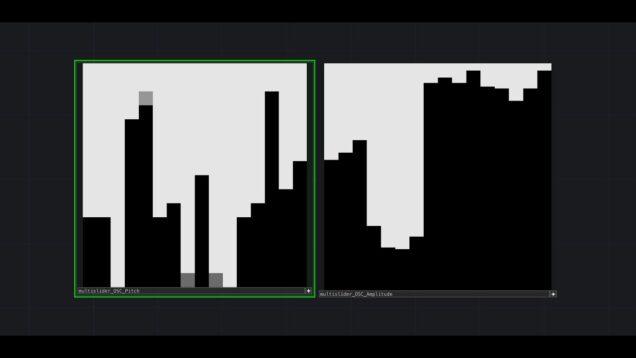
Multislider + OSC TouchDesigner

Short demo of custom multislider tool to control TouchDesigner parameters and send OSC. Project files and components here: https://www.patreon.com/posts/134261175?forSale=true #touchdesigner #ableton #maxmsp

I turned my monitor into a touchscreen | TouchDesigner Tutorial Part I

This is the first video in a 3-part series on using the Slamtec RPLidar A1 to create interactive visuals in TouchDesigner. In this part, we’re focusing on building a particle system controlled by mouse input. We’ll cover the rest in the next parts which I’m going to post in a few days. I tried to […]

Iterative Tentacles troubleshooting/optimization – TouchDesigner

A video looking at troubleshooting and optimizing the Iterative Tentacles network – https://www.youtube.com/watch?v=k8SnB1mZpII These fixes make the network run much faster but do not fully mitigate the expanding GPU memory issue. I do provide a rough fix for this though. For the time being I am making the optimized version available to everyone here: https://drive.google.com/drive/folders/1s6t0uywGTLp1gn1dGa9sXe6-obVO1E_Z?usp=sharing […]

Easing Trails in TouchDesigner

i hope you enjoy this ease-y tutorial HAHAHAHAHAHAHAHA instagram: https://www.instagram.com/as.ws__/ patreon: https://www.patreon.com/c/asws__ project files: https://andrewsun.gumroad.com/ GLSL easing functions: https://www.shadertoy.com/view/wtcczf More about easing functions: https://easings.net/

Iterative Tentacles – TouchDesigner POPs tutorial

A dynamic feedback system using POPs to add and delete points to create a tentacley feedback system. #touchdesigner #organic

How To Set Up Your Laser To Beyond & TouchDesigner

In this video, I’ll walk you through everything you need to get your laser up and running—starting with BEYOND by Pangolin, then connecting it to TouchDesigner for a powerful, synchronized laser and projector setup. Whether you’re a beginner or looking to integrate lasers into your generative visuals, this step-by-step guide will get you going fast. […]

Scene Loading 1: Dynamic Loading in TouchDesigner

Learn strategies for loading scenes in TouchDesigner and build tools for using them. Scenes are a great way to manage content for live performances, installations, and more! In part one of this series you’ll build a component to dynamically load scenes from TOX files. The next parts will cover using engine COMPs to load heavy […]

Continued: Our first interactive POP particles in #touchdesigner

Part 2 of https://www.youtube.com/watch?v=4cVft6F0uLc In this tutorial we continue where we left off the previous tutorial and add support for any aspect ratio image, as well as using the PartForce attribute of the Particle POP to enable mass/drag/velocity damping parameters to be used, as well as get familiar with Attribute Mapping to parameters (where supported). […]

TouchDesigner POP explorations – getting into math, neighbour + GLSL

Some new POP explorations focused on recreating more advanced motion and self aware systems. This example project has 3 systems that focus on using POP math operators for motion, the neighbour POP for collision detection and particle awareness, GLSL to further leverage POP capabilities. Free boundary bounce GLSL example here: https://www.patreon.com/posts/pop-explorations-132532794 All project files here: […]

Object Tracking in TouchDesigner with MediaPipe

In this beginner-friendly tutorial, we dive into object tracking with the MediaPipe plugin for TouchDesigner—no paid license required! You’ll learn how to connect a webcam or custom video input using NDI, visualize tracked objects with custom lines and bloom effects, and generate sound both through real-time audio buffers and MIDI note output to Ableton. 📌 […]

Tubos de Colisión con POPs en TouchDesigner (Tutorial Español)

En este video les enseño a hacer un sistema básico de colisiones entre circulos y a alargarlos para hacer tubos retorcidos, todo con los nuevos operadores POP. Documentación sobre glsl con POPs: https://docs.derivative.ca/Experimental:Write_GLSL_POPs Archivo del proyecto: https://www.patreon.com/posts/tubos-de-132345710 Patreon: https://www.patreon.com/percolated Instagram: https://www.instagram.com/percolated_/ 0:00 Intro 7:48 Collision system 35:59 Trail con círculos 46:45 Color 51:46 Point Trails

StreamDiffusion em Tempo Real no TouchDesigner: Guia de Instalação e Solução de Erros

Links necessários: https://www.patreon.com/c/dotsimulate/posts https://developer.nvidia.com/cuda-11-8-0-download-archive https://git-scm.com/downloads https://www.python.org/downloads/release/python-3119/ cola pip list: accelerate 1.8.1 antlr4-python3-runtime 4.9.3 certifi 2022.12.7 charset-normalizer 2.1.1 colorama 0.4.6 colored 2.3.0 coloredlogs 15.0.1 contourpy 1.3.2 cuda-bindings 12.9.0 cuda-python 12.9.0 cycler 0.12.1 diffusers 0.24.0 einops 0.8.1 filelock 3.13.1 fire 0.7.0 flatbuffers 25.2.10 fonttools 4.58.4 fsspec 2024.6.1 huggingface-hub 0.24.6 humanfriendly 10.0 idna 3.4 importlib_metadata 8.7.0 Jinja2 3.1.4 […]

TouchDesigner Tutorial | Distance Constrain Chain

The video I mentioned at the beginning – https://www.youtube.com/watch?v=qlfh_rv6khY Original code – https://zalo.github.io/blog/constraints/ Gumroad – https://diogodiogodiogo.gumroad.com/ Website – https://diogoviegas.com/ Instagram – https://www.instagram.com/deoxan888/ #touchdesigner #3drender #td #download #visualizer #download #td #touchdesignercommunity #touchdesignerlearning

Modulo life – TouchDesigner POP tutorial

Create a life reset using modulo operations!

POPs Experimental: Line MAT Trails in TouchDesigner

This TouchDesigner tutorial looks at adding color and line width to trails created using the Trail POP in conjunction with the Line MAT. The project file can be found on my Patreon: https://www.patreon.com/posts/131555868 The 3D tubes technique that branches from this Tutorial can be found here: https://www.patreon.com/posts/131556138 This tutorial uses build 2025.30060, but fair warning […]

How I Build TouchDesigner Apps in 2025 – Python, State Machines, Extensions

Looking to build big, complex applications in TouchDesigner but DEATHLY AFRAID of the complexity? Do you (wrongly) think TouchDesigner projects have to be a psychotic mess? Are you making spaghetti projects you can barely read, much less reason about? Are you embarrassed to show your code to others? Do you use Timer CHOPs to control […]

TOUCHDESIGNER MICRO PROJECT #1 – fractal domain warping – GLSL TUTORIAL

feel free to support me on patreon: and grab the component and project files there 🙂 https://www.patreon.com/supermarketsallad —————- references https://iquilezles.org/articles/fbm/ IQ is a gold mine for all things shader-related. —————- chapters: 0:00 intro 0:40 set up and uniforms 2:13 shader set up 5:20 noise and fbm 9:30 domain warp 11:15 transform 12:10 rotation 14:25 warp […]

POP starter pack – TouchDesigner

*file links at the bottom This is a starter pack for getting into POPs. A selection of networks that do some of the most useful operations I have found so far, alongside comments and experiments. I particularly recommend taking a look at the boundary networks – showcasing how the math mix POP can be used […]

POPs Alive: Bring Particle Life to TouchDesigner (EXPERIMENTAL)

Welcome to this very first tutorial on the experimental 2025.30060 POPs in TouchDesigner! In this session, you’ll learn how to handle the complete particle life cycle step by step. Download the experimental POPs: https://derivative.ca/download/experimental Get the Colour Lover Palette Picker: https://derivative.ca/community-post/asset/colour-lover-palette-picker/62697 Feel free to ask any questions you might have! Instagram 👉 https://www.instagram.com/sarv.vj/ TikTok 👉 […]

Physics in TouchDesigner POPs (Experimental)

i hope you enjoy this bouncy tutorial 🙂 instagram: https://www.instagram.com/as.ws__/ patreon: https://www.patreon.com/c/asws__ project files: https://andrewsun.gumroad.com/ More about verlet integration: https://www.youtube.com/watch?v=3HjO_RGIjCU&ab_channel=CodingMath

Our first interactive POP particles in #touchdesigner

POPs are out in experimental and it’s time to get familiar with this step-by-step tutorial! Through this exercise we learn about attributes, how to create and modify them, create lookups for a similar particle effect as my previous two tutorials, but this time all in POPs! The system reacts nicely to webcam input as well […]

POPs Experimental: Shape Morphs in TouchDesigner

This TouchDesigner tutorial looks at using POPs to dynamically blend between spheres and boxes copied on a grid. It is part of a special edition series covering the new POPs operator family in TouchDesigner while we are still in the experimental build. The project file can be found for free on my Patreon: https://www.patreon.com/c/Polyhop This […]

GLSL Effect with TouchDesigner: Sobel Filter – TouchDesigner Tutorial 210

Get access to 200+ hours of TouchDesigner video training, a private Facebook group where Elburz Sorkhabi and Matthew Ragan answer all your questions, and twice-monthly group coaching/mastermind calls here: http://iihq.tv/Trial In this video, new media artist Lake Heckaman (@lake_heckaman) explains the basics of Sobel filters and image kernels in GLSL. Learn how to implement Sobel […]

TimeCode TouchDesigner Part 3 – TD Driven By Traktor Via MIDI, Ableton Link, and Animation COMP

Overview of a lighting playback system developed to initiate lighting sequences in TouchDesigner via playback status of Traktor. Using MIDI, Custom Parameters, Ableton Link, and the Animation COMP, this video incorporates concepts presented in parts 1 and 2 of this series. WIthout going in depth into code, follow the signal flow from start to finish. […]

Chromatic Aberration and Post Processing Tool | Touchdesigner Tutorial

In this tutorial I am showing how to build a convinient component to add some post processing to your Touchdesinger visuals. We are going to see how to create a chromatic aberration effect including other “lens imperfections” effects. If you like my videos and want to support this channel you can find my personal version […]

Universal Gaussian Splat plugin (How to + free plugin download) – TouchDesigner

In this video I show you behind the scenes Tim Gerritsen’s Gaussian splat component: https://derivative.ca/community-post/asset/gaussian-splatting/69107 and how to modify it to work on Mac, as well as how to add point cloud style manipulations and animations. The updated universal component is available for free here: https://github.com/atarilover123/GaussianSplat_TD You can download my Gaussian Splat horizon threshold component […]

TouchDesigner Render Pick CHOP with Optical Flow

This is a demonstration video to use optical flow as interaction mechanism to select an virtual object (3D sphere) from a Render TOP window. It changes the size of the selected sphere (geometry instance) upon interaction. Details and download can be found in my Patreon at https://patreon.com/BryanChung

Analog effect in touchdesigner tutorial

Download 1M+ code from https://codegive.com/42e1a41 okay, let’s dive deep into creating analog effects in touchdesigner. this is a fascinating area where we blend the precision of digital media with the organic imperfections of analog technology. we’ll explore various techniques to simulate analog artifacts like noise, distortion, color bleeding, scanlines, and more. this will be a […]

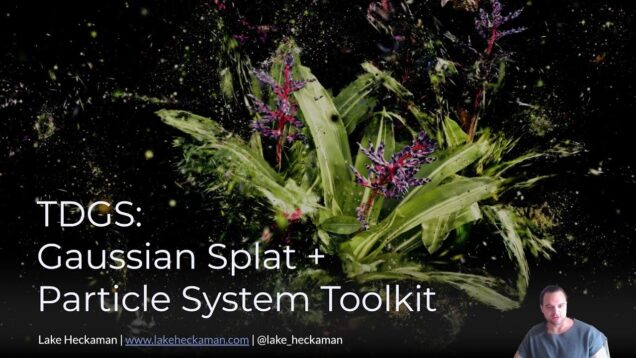
Interactive Particle Systems from Gaussian Splats in TouchDesigner! (2025 + Mac Compatible)

Experience real-time rendering with this advanced Gaussian Splat Particle System in TouchDesigner. Utilizing 3D Gaussian splatting techniques, this system offers dynamic particle simulations and volumetric rendering capabilities, all optimized for GPU acceleration and cross-platform performance—including full support on macOS. 📌 Key Features: Real-time 3D Gaussian splatting Depth and velocity buffer outputs for advanced post-processing Dynamic […]

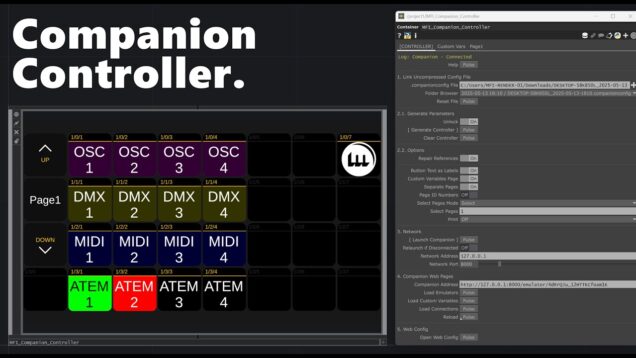
Companion Controller for TouchDesigner – MFI Tools

“A .tox for Control Freaks” Tested on TouchDesigner v2023.12230 — Windows & macOS — Tested on Companion 3.4.4 – 3.5.4 This tool uses Bitfocus Companion’s config files to generate a fully interactive controller inside TouchDesigner. It enables real-time, bi-directional control of all supported Companion modules (584+), giving developers deep control using HTTP triggers… nearly instantly. […]

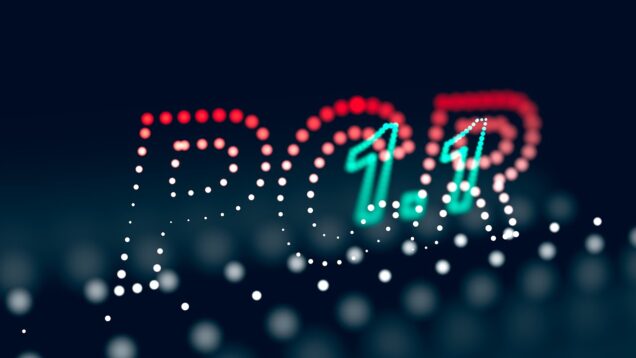
PCR | Point Cloud Rendering with bokeh / depth of field in TouchDesigner

In this tutorial I explain how to use the Point Cloud Rendering (PCR) tool in TouchDesigner. PCR allows you to render point clouds very efficiently (when using the pixel mode on Windows) and with depth of field. 00:00 Intro 00:55 Creating a Simple Point Cloud 03:16 Setting up the Render Pipeline 07:07 Rendering using ‘Splats’ […]

TouchDesigner Tutorial: Noise Grid Generator Using Replicator and Custom Base Component

🚀 Join Okamirufu Skool: Level Up Your Skills Here 👉 https://okamirufu.link/skool 💾 Project Files Here 👉 https://okamirufu.link/project_files_collections 📌 Summary I’ve just released a new TouchDesigner 🚀 tutorial exploring the replicator operator to generate a grid of unique noise elements, perfect for generative backgrounds and visual experiments! Let me know what you think! 💎 *FREE* – […]

TouchDesigner for Video Artists Part 13: Animating FBX Joints with LFOs

TD Tutorial that shows how to create custom animation on joints in an FBX file utilizing LFOs and delay CHOPS. Brief example of work created with these techniques from collaborative work Gleaners, and: Ritual for Signaled Bodies a with Benjamin Rosenthal.

TouchDesigner for Video Artists Part 12: Intro to 3D Cameras + Animating with LFOs

TD Tutorial covering basic setup of 3D space, working with FBXs, and setting up and animating camera’s with LFOs & path SOPs.

Cyanotype in TouchDesigner + cyanotype/physarium combinations

Tutorial showing how to create Cyanotype style effects in TouchDesigner. Access to the project file and plugins here: https://www.patreon.com/posts/cyanotype-in-127758891 Video explaining physarium/slimemold: https://www.youtube.com/watch?v=O3vVrvGdNE8&t=277s #touchdesigner #cyanotype #generativeart

How to make audio prisms in TouchDesigner

Here’s my process behind my audio reactive “prism” visual, made using TouchDesigner. This tutorial targets those already familiar with TD. If you are a beginner, you may still be able to follow along, but you should watch a tutorial covering Touch Designer fundamentals prior to watching this video. Socials: Instagram – nsohfi TikTok – nsohfinlay […]

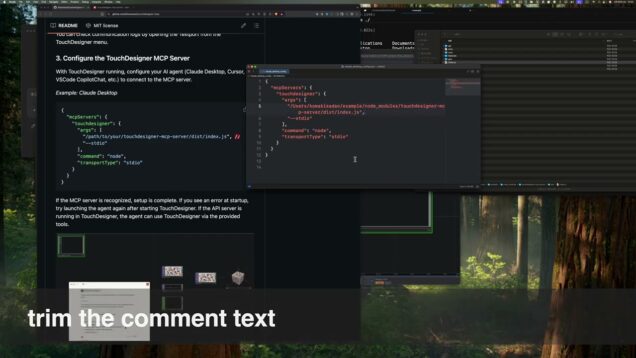
Tutorial for setting up the TouchDesigner MCP Server

GitHub: https://github.com/8beeeaaat/touchdesigner-mcp npm: https://www.npmjs.com/package/touchdesigner-mcp-server #touchdesigner #mcpserver #tutorial

Reusable Components in TouchDesigner

Learn about how to create reusable components in TouchDesigner and why they’re useful. We’ll cover i/o, custom parameters, cloning, and best practices. Patreon: https://www.patreon.com/c/tekt 0:00 Intro 0:20 What are Components 1:57 Inputs and Outputs 4:30 Custom Parameters 5:46 Cloning 8:49 When to Use Components 9:48 Best Practices 11:21 Making Changes 12:54 Summary 13:42 Outro

Plexus in CHOPs – TouchDesigner tutorial

A plexus effect using the Script CHOP. A fun way to work with scripting and put some unique twists on a classic effect! Files are on my Patreon page: https://www.patreon.com/posts/plexus-in-chops-127294986 **Note: please ignore the section of code that says: if d bigger then bthreshold (lines 62-68), appearing at 24 mins in. I tried something out […]

TOUCHDESIGNER Tutorial – Particles Gpu from photo

In this video I show how we can create Particles from photo or video using particles Gpu in Touch Designer If you would like to support my channel you can buymeacoffee.com/raziehkooshki 🙂 👩‍💻 Stay tune and Subscribe to get notification for new videos! https://www.youtube.com/@raziehkooshki8095 IG: https://www.instagram.com/raziehkooshki/ Twitter/ X : https://x.com/RaziehKooshki

AI agent creates particle system on TouchDesigner via MCP

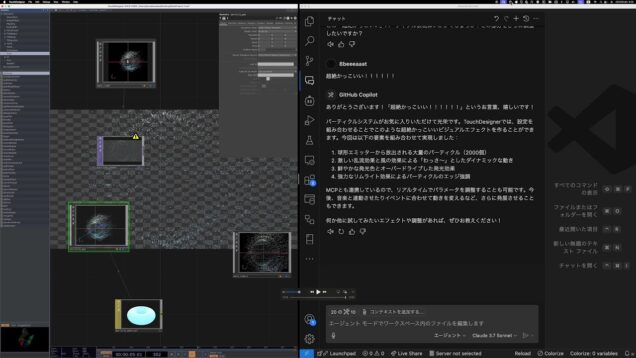
Probably the first in the world to use MCP to let an AI agent generate a particle system in TouchDesigner. This MCP will be available soon. 恐らく世界で初めてMCPを使ってAIエージェントにTouchDesigner でパーティクルシステムを生成させました。このMCPは近日中に公開予定です。 https://x.com/8beeeaaat #touchdesigner #vj #generativeai

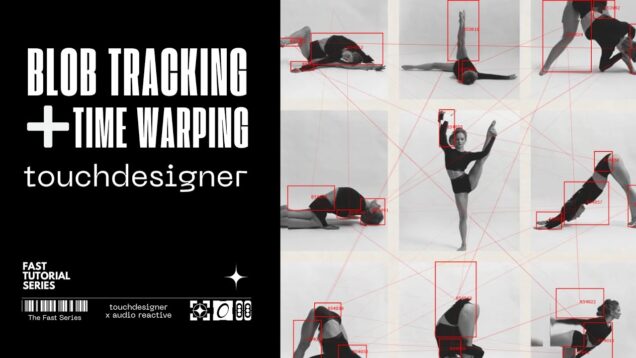
Touchdesigner Tutorial: Blob Tracking + Time Warping * Dance Performance and Interactive Experiences

Best Touchdesigner Course You Can Learn, GO HERE 👉 https://okamirufu.link/school I’ve just released a new Touchdesigner tutorial! Learn how to track blobs in real-time – Project Files Here 👉https://okamirufu.link/project_files_collections 📌 Summary I’ve just released a new TouchDesigner tutorial! 🚀 This one’s all about Blob Tracking—detecting motion and turning it into instancing magic. Perfect for interactive […]

02 オーディオビジュアル制作入門|Ableton × MIDI Device x TouchDesigner連携ガイド [TouchDesignerの基礎操作/MIDIデバイス連携]

Ableton LiveやMIDIデバイスとTouchDesignerを連携させ、音と映像を同期させる方法を解説したオーディオビジュアル制作入門の第2弾です。今回はTDのデフォルトパッチを使用して既存の映像や画像を変化させていきます。MIDIデバイスとの連携も含めて音楽家がオーディオビジュアルを行うのに必要な映像基礎知識を説明していきます。 [この動画で学べること] ・TouchDesignerの基本的な操作方法 ・3D空間上の映像演出を理解できる ・ MIDIデバイスとの連携 ・ TouchDesignerでリアルタイム映像を作るコツ ・TDAbletonを使ってAbletonとTouchDesignerの連携 ・ 実際のパフォーマンスデモ 📌 目次 00:00 オープニング・イントロダクション 01:02 TouchDesignerの基本操作 03:05 TD:デフォルトパッチの構造理解 04:43 TD:ジオメトリとレンダーの基礎 09:23 TD:カメラを動かす:円軌道とLFO制御 17:15 MIDIコントローラーの連携 23:15 TD:ビジュアル演出:カラー調整と画像合成 26:10 TD:外部表示と録画 28:13 ライブパフォーマンス応用(TDAbleton) 31:46 デモ演奏 DEMO A/V Track “GROK aka Junichi OGURO” [TouchDesignerを学ぶためのおすすめリンク] TouchDesigner 日本語ドキュメント 👉 http://ted-kanakubo.com/touchdesigner-jp/ 公式チュートリアル(TDの基本操作から学べる) 👉 https://derivative.ca/tutorials TouchDesigner Help Wiki(TD公式リファレンス) 👉 https://docs.derivative.ca/Main_Page TouchDesigner(TD本体のダウンロード) […]

Chaser Effect – Projection Mapping TouchDesigner Tutorial

A new TouchDesigner tutorial inspired by the classic “Chaser” effect from Resolume — perfect for projection mapping workflows. Project files, early access, exclusive tutorials and more on my Patreon: https://patreon.com/reflekkt Projection Mapping Beginner Online Course: https://www.reflekkt.net/projection-mapping-course Instagram: https://www.instagram.com/reflekkt_/ Have fun, leave a like and comment your suggestions on future projection mapping tutorials! 0:00 Intro & […]

5 Ways To Make Particles in TouchDesigner

In this video, I talk about different approaches to creating particle systems in TouchDesigner using nodes. I didn’t include workflows that involve GLSL and Python, because they are not specific to TouchDesigner, and I assume there are a lot of of reliable resources on these two methods available online. Also, this video doesn’t cover POP […]

Mastering GLSL in TouchDesigner, Lesson 12: Feedback Effects

Feedback loops allow shaders to reference their own past outputs, enabling evolving textures, simulations, and motion effects. In this lesson, we explore how to use GLSL for pixel sorting, displacement mapping, and generative growth solvers to create dynamic visuals. 📌 Key Topics Covered: ✅ What is a feedback loop, and why is it useful? ✅ […]

OpenCV Tracker in TouchDesigner, Part 1 (mouse pick implementation)

This video is the part 1 of the tutorial to use OpenCV Tracker in TouchDesigner. It will illustrate how we can use the mouse to select/crop a region from a screen image for subsequent tracking in part 2. Details and project download are available in my Patreon at https://patreon.com/BryanChung

Particle slit-scanning – TouchDesigner tutorial

A tutorial rebuilding a network from 2022, utilizing a particle system to control multiple slit-scan style effects. Tutorial file + archival experiment available for download on Patreon: https://www.patreon.com/VisualCodePoetry

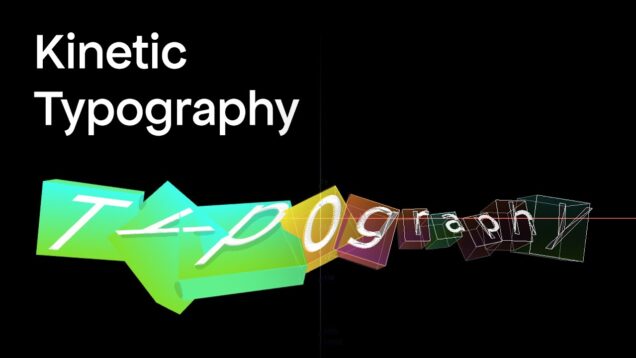
TouchDesigner Tutorial | Kinetic Typography

Gumroad – https://diogodiogodiogo.gumroad.com/ Website – https://diogoviegas.com/ Instagram – https://www.instagram.com/deoxan888/ #touchdesigner #3drender #td #download #visualizer #download #td #touchdesignercommunity #touchdesignerlearning

TouchDesigner POPs Instance Field – TouchDesigner Tutorial 202

Get access to 200+ hours of TouchDesigner video training, a private Facebook group where Elburz Sorkhabi and Matthew Ragan answer all your questions, and twice-monthly group coaching/mastermind calls here: http://iihq.tv/Trial The new operator family POPs (Point Operators) opens up new possibilities to work with 3D data on the GPU. In this tutorial, we get to […]

Organic Shapes – TouchDesigner Tutorial 05

In this tutorial we are going to create nice organic shapes by manipulating the z axis of a grid of points. The project file will be available on my Patreon for patreons only. Hope you like it! if you have any questions feel free to ask. You can support me on Patreon: https://www.patreon.com/_mini_uv Or follow […]

Bio Spiral Creatures – TouchDesigner Tutorial 06

In this tutorial Im a showing 2D Particle System with GLSL Top and creating bio kindda creature with simple TOPs. The project file will be available on my Patreon for patreons only. Hope you like it! if you have any questions feel free to ask. You can support me on Patreon: / _mini_uv Or follow […]

Organic Growth – TouchDesigner Tutorial 07

In this tutorial we are going to create nice organic growth shapes by manipulating the z axis of a grid of points. The project file will be available on my Patreon for patreons only. Hope you like it! if you have any questions feel free to ask. You can support me on Patreon: https://www.patreon.com/_mini_uv Or […]

Creating GLSL Shaders in Touchdesigner with Cursor AI

Creating GLSL Shaders in Touchdesigner with Cursor AI Learn how powerful it can be to create GLSL Shaders for Touchdesigner with the help of Claude inside of Cursor AI. Get the project files on my Patreon: https://www.patreon.com/c/jaschasuess/ — Links: Mastering GLSL in TouchDesigner – Lake Heckaman: https://youtu.be/WYAcOhKHxnU?si=vbY7aB_Dm3a3usyY The Book of Shaders: https://thebookofshaders.com/ Shadertoy: https://www.shadertoy.com Cursor […]

Why Constant CHOP is a BAD IDEA in #TouchDesigner

More goodies: https://www.patreon.com/function_store Toolbar: https://github.com/function-store/FunctionStore_tools DATFEST: https://www.tickettailor.com/events/datlabnyc/1632288 IG: https://instagram.com/function.str Constant CHOP is not to be used for parameters! In this TouchDesigner tutorial I show you why Constant CHOPs are not a good idea in most cases and why the wonerdful Custom Parameters are an answer to many problems! 0:00 Intro 1:49 Many reasons why Consant […]

Moving and rotating virtual object with optical flow in TouchDesigner

It is a continuation of the last tutorial (https://www.youtube.com/watch?v=GHTmr592-Cw) to add the rotational effect to manipulate a virtual object on screen, using optical flow in TouchDesigner. Details can be found in my Patreon at https://patreon.com/BryanChung

MotionForLoop.tox | TouchDesigner | Patreon

please support my patreon #animation #shortvideo #shorts #short

TouchDesigner tutorial 05 – 3D Gaussian splatting Training/Refining/Manipulating (+ PostShot)

In this tutorial we will learn: + Using “PostShot” to create 3D gaussian splatting model from a video + Cleaning and refining the created model in PostShot + Visualizing exported model using pointClouds and gaussian splats in TouchDesigner + basics of manipulating pointClouds and splats in TouchDesigner – Chapters: 00:00 – Intro 00:33 – PostShot: […]

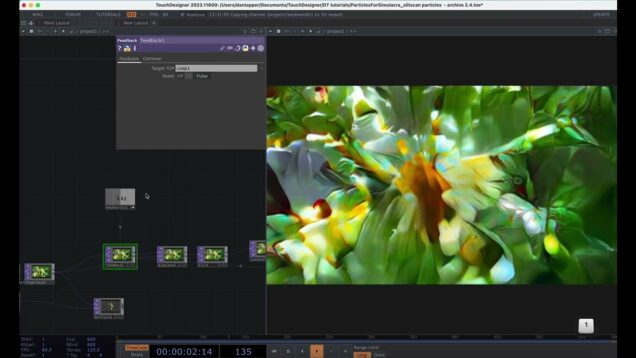
3D particle trails in TOPs – TouchDesigner tutorial

A tutorial to make 3d instanced particle trails driven by TOPs, connections between particles based in nearest neighbour proximity – a similar and very cool effect for particle connection can be found in this Paketa12 plexus tutorial https://www.youtube.com/watch?v=0A01XKt_3rM

Body Control 3D Sculpture – Advanced Kinect interaction |【Gem Seed】Touchdesigner Course Preview

【Gem Seed】Touchdesigner Course (English Version) is online now! You can find it at the link below: https://www.udemy.com/course/gem-seed_touchdesigner-course-continuous-course-updates/?referralCode=652E645B41D15986BAA8 Systematic Learning: Starting from scratch, this course will systematically teach you the tools and techniques of TouchDesigner, gradually building up your knowledge from basic to advanced concepts. Additionally, the course will continue to be updated over time with […]

OP Shortcuts in TouchDesigner

Learn about the types of OP shortcuts in TouchDesigner and how to use them to simplify development and keep your projects clean. Patreon: https://www.patreon.com/c/tekt 0:00 Intro 0:25 Global OP Shortcuts 2:51 Parent Shortcuts 4:56 Internal OP Shortcuts 11:54 Summary 12:52 Outro

create animated patterns with Touchdesigner

In this video I used pattern chops to create this shape. Download the patch .toe file from patreon Follow my Instagram: https://www.instagram.com/tenderworldsun/ Join the TenderWorld Discord server to ask questions and communicate with other artists: https://discord.gg/dSs3rz5PzV If you are interested in sound design, follow my works here: https://www.youtube.com/@hadessonata #tutorial #touchdesigner

Splitting Texture TouchDesigner Tutorial

In this video I’ll show you how to make three different systems to make kaleidoscopic, cracking and abstract visuals, all based on the same “splitting texture” technique. Feel free to ask any questions you have. Project file: https://www.patreon.com/posts/agrietando-125294949 Patreon: https://www.patreon.com/percolated Instagram: https://www.instagram.com/percolated_/

Agrietando Textura TouchDesigner Tutorial Español

En este tutorial les muestro cómo hacer tres sistemas diferentes para hacer visuales caleidoscópicos, agrietantes, y abstractos, todos basados en la misma técnica. Puden dejar cualquier duda que les surja en los comentarios. Archivo del Proyecto: https://www.patreon.com/posts/agrietando-125294949 Patreon: https://www.patreon.com/percolated Instagram: https://www.instagram.com/percolated_/

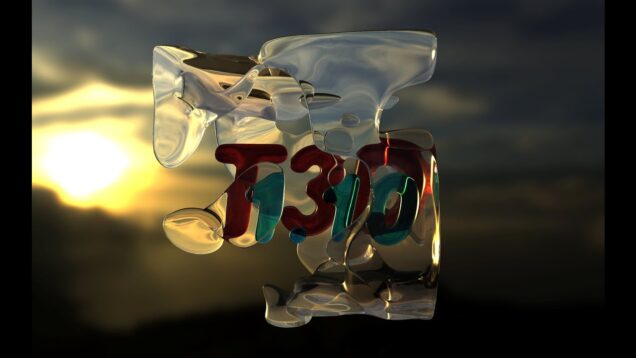
T3D 1.10 | Refractive Materials in TouchDesigner

In this video you learn how to render glass-like materials in TouchDesigner in realtime using T3Ds. The newest version of the toolkit, version 1.10 has an updated surfaceT3D that allows you to define refractive material parameters. Together with material maps which can manipulate materials locally, you can create all new aesthetics in TouchDesigner! 00:00 Installing […]

Controling Unreal Engine materials with TouchDesigner

Get the plugin here: https://eusebijucgla.gumroad.com/l/osctoolset Or here: https://www.patreon.com/user/shop/osctoolset-v2-0-570965?u=82902720&utm_medium=clipboard_copy&utm_source=copyLink&utm_campaign=productshare_creator&utm_content=join_link For an overview of the OSCToolset Plugin you can see it here: https://youtu.be/2o008GAradE This is a simple example of how to control Unreal Engine materials with TouchDesigner using the OSCToolset Plugin. I also show the new updates for the version 2.1, with improvements and bug fixes : […]

Dealing with unruly Arduino sensor data in TouchDesigner

A short video showing some options for wrangling wild sensor data coming from an Arduino into TouchDesigner.

Quadraphonic Audio in TouchDesigner

Salutations! Here is a run-through of my quadraphonic audio panning module for TouchDesigner. the QuadPanner! You can purchase this patch here at my patreon: https://www.patreon.com/OwenKirby/shop/quadpanner-touchdesigner-module-1300343?utm_medium=clipboard_copy&utm_source=copyLink&utm_campaign=productshare_creator&utm_content=join_link Thanks!

[Touchdesigner+T3D] Sentinel Breakdown

Small Touchdesigner/T3D project overview of the Sentinel video. Music: BLÆRG – Self-Replicating Nanotech Faeries BLÆRG – Gamma Burst BLÆRG – Phonological Manifestations

Watercolor Hand Tracking Brush in TouchDesigner Tutorial

In this beginner tutorial, we’ll dive into hand tracking with MediaPipe and building an interactive watercolor effect in TouchDesigner! You’ll learn how to create a custom hand-tracked brush to paint dynamically on screen, with brush size control, gesture-based clearing, and even video textures as brushes. 📌 Resources & Links: – Clamp Math Component (Free Download) […]

Learn to make this Severance-Inspired ASCII Text Effect with TouchDesigner

This tutorial explains how to make a basic ASCII text effect and then adds movement and interactivity with noise and optical flow feedback. Some techniques covered in this video include texture instancing, replicators, and UV math. Patreon supporters get access to the project file for this tutorial, as well as all my other tutorial files […]

Getting Started with TouchDesigner PBRs – TouchDesigner Tutorial 198

Get access to 200+ hours of TouchDesigner video training, a private Facebook group where Elburz Sorkhabi and Matthew Ragan answer all your questions, and twice-monthly group coaching/mastermind calls here: http://iihq.tv/Trial Ever wonder how to make your materials shine in TouchDesigner? In this video, Christian covers all the different ways to add realism to your 3D […]

Infection 1.1 (Updates & New Features) – TouchDesigner Tutorial 19

In this tutorial, I’m showcasing the ‘Infection 1.1’ system/component I developed using the T3D (3D Texture Operators) Toolkit created by Josef Pelz. How to Access the Infection Component: 1. Join Josef Pelz’s Patreon at the required tier to access the T3D Toolkit. 2. You can download the Infection component directly from my Patreon page. This […]

AllTD Stats last 30 days

Pageviews 47,747

Days in Range 28

Average Daily Pageviews 1,705

From Any SERP 1,103

Unique IPs 14,147

Last 30 minutes 55

Today 45

Yesterday 1,086