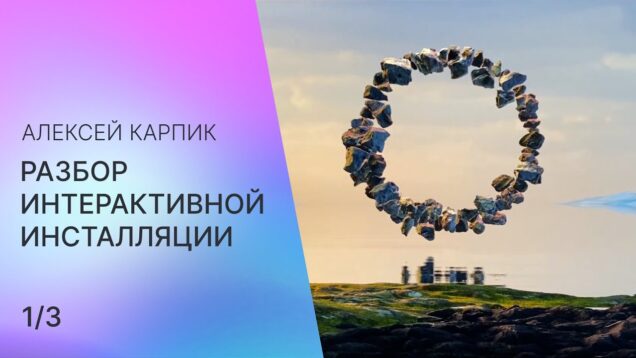
Mark Tutorial Completed! В этой серии видео Алексей рассказывает о создании интерактивной инсталляции в Touchdesigner – https://www.instagram.com/p/CLiJBlsCl3W/ Таймкод: 0:00 – Introduction 0:18 – Scene geometry 8:13 – Stones collision Канал Алексея: https://t.me/karpik_realtime Собеседник – Alexey Lysenko https://t.me/abesmon
Mark Tutorial Completed! Demonstration to convert real-time video and audio inputs into channel information to use as interactive sensors in TouchDesigner
Mark Tutorial Completed! В этой серии видео Алексей рассказывает о создании интерактивной инсталляции в Touchdesigner – https://www.instagram.com/p/CLiJBlsCl3W/ Ссылки: sdf torus https://www.iquilezles.org/www/articles/distfunctions/distfunctions.htm remapping functions https://www.iquilezles.org/www/articles/functions/functions.htm planar reflections https://www.youtube.com/watch?v=toObgrxKTlU&feature=youtu.be Таймкод: 0:00 – Introduction 0:18 – Scene geometry 8:13 – Stones collision Канал Алексея: https://t.me/karpik_realtime Собеседник – Alexey Lysenko https://t.me/abesmon
Mark Tutorial Completed! Support the channel by donating to: https://www.paypal.me/acrylicode #touchdesigner #generativeart #creativecoding #tutorial #animation #digitalart #abstractart #satisfying #trippy This is a step by step easy tutorial using Touch Designer. TouchDesigner is a node based visual programming language for real time interactive multimedia content. These videos are beginner level and we’ll soon record new tutorials […]
Mark Tutorial Completed! Learn how to create procedural terrain heightmaps based on the topology of real ranges, a technique ported from Texturing and Modeling: A Procedural Approach (which I highly recommend for those looking to learn). Over this set of tutorials I will build on this technique and others to create an interactive particle system […]
Mark Tutorial Completed! Expression detection → 【Gem Seed】Touchdesigner course https://www.udemy.com/course/gem-seed_touchdesigner-course-continuous-course-updates/?referralCode=652E645B41D15986BAA8 EEG brain detection → 【Gem Seed】Touchdesigner+Arduino course(Coming soon) Over 17 hours of structured lessons, covering everything from basics to complex interactions Includes Kinect, LeapMotion, and other interactive device integrations Comes with over 30 project files for every lesson to enhance hands-on learning You can ask […]
Mark Tutorial Completed! This tutorial combines optical flow feedback with particle systems. This technique is great for making interactive installations with cameras or dynamic rendered video content. This effect is done primarily in TOPs with feedback loops for both the position and velocity. You can download the masked dancer video I used from Pexels: https://www.pexels.com/video/fire-performance-at-night-14524402/ […]
Mark Tutorial Completed! Get access to 90+ hours of TouchDesigner video training, a private Facebook group where Elburz and Matthew Ragan answer all your questions, and twice-monthly group coaching/mastermind calls here: http://iihq.tv/Trial If we had a dollar for every time a client asked for interactive particle systems, we’d be rich! But it can a bit […]
Mark Tutorial Completed! Hola a todxs, en este nuevo tutorial vamos a recrear el código del Capítulo 2.3.1 “Drawing With Animated Brushes” del libro Generative Design dentro de touchdesigner. Disfruten ! —- Proyecto Final: https://www.patreon.com/posts/121385011 —- Libro: http://www.generative-gestaltung.de/1-archive/ Codigo Processing: http://www.generative-gestaltung.de/1-archive//P_2_3_1_01 —- Puedes apoyarme en: https://www.patreon.com/akenbak —- O seguirme en: Facebook: https://www.facebook.com/AkenbakOfficial Instagram: https://www.instagram.com/aken.bak/ SoundCloud: […]
Mark Tutorial Completed! In the final part of this series on creating terrain-inspired particle systems in TouchDesigner, we create a variety of effects using the techniques developed in prior tutorials and add interaction to our project via Kinect and webcam. Project files available on patreon: patreon.com/water__shed
Mark Tutorial Completed! Expression detection → 【Gem Seed】Touchdesigner course https://www.udemy.com/course/gem-seed_touchdesigner-course-continuous-course-updates/?referralCode=652E645B41D15986BAA8 EEG brain detection → 【Gem Seed】Touchdesigner+Arduino course(Coming soon) Over 17 hours of structured lessons, covering everything from basics to complex interactions Includes Kinect, LeapMotion, and other interactive device integrations Comes with over 30 project files for every lesson to enhance hands-on learning You can ask […]
Mark Tutorial Completed! Take your reaction-diffusion system even further in this tutorial, which will teach you how to tweak your shader for easy tiling + rendering on a sphere, build a quick-and-easy preset system to keep track of different parameter settings, and add interaction with the mouse! Building on Part 1, available here: https://youtu.be/1k_uPHcV6BA Find […]
Mark Tutorial Completed! Get access to 90+ hours of TouchDesigner video training, a private Facebook group where Elburz and Matthew Ragan answer all your questions, and twice-monthly group coaching/mastermind calls here: http://iihq.tv/Trial Many new developers and artist have trouble working with feedback loops in TouchDesigner and they can be slightly confusing to setup. Despite that, […]
Mark Tutorial Completed! In this tutorial I’ll walk you through how to use a free and open-source tool called BlackHole to seamlessly connect Logic Pro X and TouchDesigner for Audio Reactive visuals. This is intended for those that want to use Logic Pro instead of TouchDesigner’s TDAbleton tool. BlackHole – https://existential.audio/blackhole/#blackhole_logo Full Audio Reactive Tutorial […]
Mark Tutorial Completed! You can find the unwrapper COMP here : https://olib.amb-service.net/component/sop-uv-unwrapper Please Support Olib is a really good project. Unveil_studio: unveil.contact.berlin@gmail.com
Mark Tutorial Completed! Bu videoda TouchDesigner kullanarak yalnızca 10 dakikada, mouse hareketlerine tepki veren interaktif bir dijital sanat çalışması üretiyoruz. Karmaşık node labirentleri yok, ezoterik shader numaraları yok. Mantığı kuruyoruz, akışı görüyoruz ve işi ayağa kaldırıyoruz. Mouse verisi nasıl okunur, bu veri görsele nasıl dönüştürülür, hareket nasıl “estetik” hale getirilir — hepsi net, pratik ve […]
Mark Tutorial Completed! В этой серии видео Алексей рассказывает о создании интерактивной инсталляции – https://www.instagram.com/p/CLiJBlsCl3W/ Ссылки: screen space reflections https://habr.com/ru/post/244367/ opengl transformation http://www.songho.ca/opengl/gl_transform.html Таймкод: 0:00 – Screen space reflections 2:07 – Water normal map 3:28 – Ray marching 9:28 – Enviroment reflections 11:40 – Water circles Канал Алексея: https://t.me/karpik_realtime Собеседник – Alexey Lysenko https://t.me/abesmon
Mark Tutorial Completed! We’re starting a new 9-video series where I’ll be diving deep into interactivity using Playtron. Get Project Files & Roses Videos Here 👉 https://okamirufu.link/project_files Free VJ Pack Collections – Over 150 Videos and Growing 👉 https://okamirufu.link/free_vj_pack_y AI voice I used: 👉 https://okamirufu.link/eleven_labs – Video Summary 0:00 – *Introduction to Playtronica:* Learn what […]
Mark Tutorial Completed! In this TouchDesigner tutorial, you learn how to create an interactive projection, where an eye follows people passing by. I use a webcam and the bodytrackCHOP to track persons, but you can also use a Kinect or other data like mouse cursor position, noise or any other object. With free AI image […]
Mark Tutorial Completed! today we are going to create a time displacement and click transitions controlled by the mouse. download project files and access to more tutorials and files. https://www.patreon.com/pppanik BIG THANKS FOR YOUR SUPPORT. 🙂 if you want to, check out my work on instagram https://instagram.com/pppanik stay kind. sound in the beginning is a […]
Mark Tutorial Completed! We dive into TouchDesigner’s button states—Momentary, Toggle, Radio, and Exclusive showing how to create interactive responses. You’ll learn practical applications for each state and see a custom Playtron MIDI setup in action. Free Component Here 👉 https://okamirufu.link/frees_collections Part 1: https://www.youtube.com/watch?v=wA_uGNz4YvI&t=10s – Free VJ Pack Collections – Over 150 Videos and Growing 👉 […]
Mark Tutorial Completed! ▽You can watch the rest of this tutorial and others with a membership on the TDSW patreon. Support TDSW on Patreon https://www.patreon.com/tdsw If you subscribe to a subscription plan of $20 or more, you get unlimited access to all of our past archives! We have prepared a lot of contents to learn […]
Mark Tutorial Completed! In this tutorial we have a look at how to create realtime AI generated videos using dotsimulates StreamDiffusion integration for Touchdesigner. By using the App Tagtool on the iPad we can feed sketches directly into Touchdesigner via NDI. This is such a fun and inspiring process and allows for very cool interactive […]
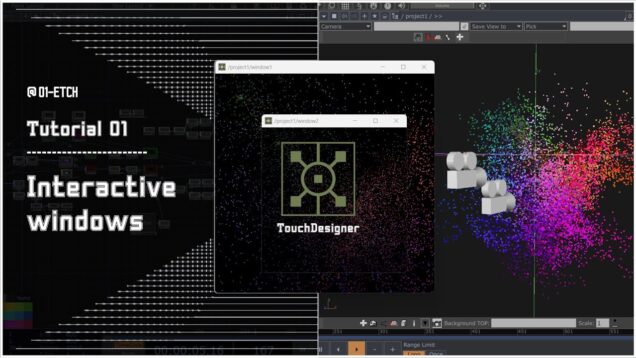
Mark Tutorial Completed! In this tutorial, we will learn how to use WindowCOMP in Touchdesigner as an interactive element. watching this workflow might help with: – creating a simple point-cloud – making cameras follow your objects – using operator’s properties to create new ideas – preparing data for an interactive setup + If you enjoyed […]
Mark Tutorial Completed! today we are going to create an interactive liquid painting. download project files and access to more tutorials and files: https://www.patreon.com/pppanik BIG THANKS FOR YOUR SUPPORT. 🙂 if you want to, check out my work on instagram https://instagram.com/pppanik stay kind. sound in the beginning is by TRA$H / deadthawn. thank you!
Mark Tutorial Completed! Remember, this video is the second part of Video 3 in this series. Here, we’ll cover how to create a simple interactive network. Get Project Files Here 👉https://okamirufu.link/project_files_collections ============================= *VIDEO SUMMARY* 00:00 Intro 00:37 Fixing Instances: We’ll adjust the instance values so they work correctly in the Geo component of TouchDesigner. Remember, […]
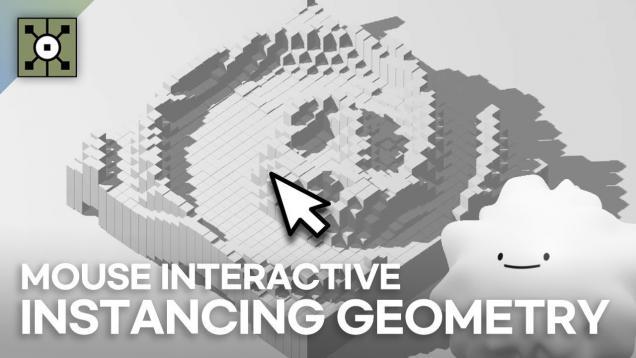
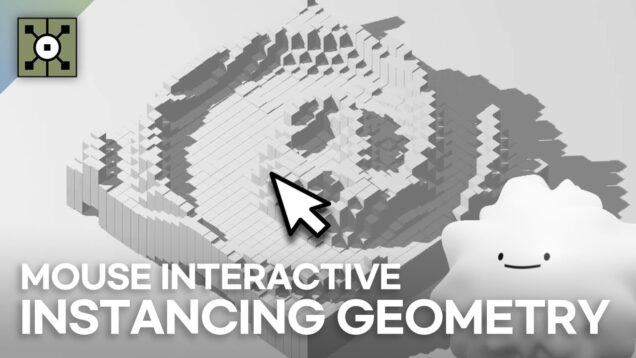
Mark Tutorial Completed! This project is inspired by the tutorial: Instancing Geometry with Mouse interactive in Touchdesigner , which is made by Noto The Talking Ball. Here is the link: https://www.youtube.com/watch?v=SJZIMGg-thY
Mark Tutorial Completed! A lot can be achieved by using a combination of operators in TouchDesigner. In this lesson we will go over the basics of a render lighting set up using a Camera, Light and Geometry COMP. This lesson also features SOP and MAT operators with animation using CHOPs. So it quite a comprehensive […]
Mark Tutorial Completed! This video shows how to use Optical Flow to use movement in a video source (Movie File In, Video Device In, NDI In, etc) as a trigger. It shows the chain required to take the movement data and make it usable by the Tigger CHOP. Then the output of the Trigger is […]
Mark Tutorial Completed! 터치디자이너 _ touchdesigner를 이용한 콘텐츠 만들기 www.lab-oe.com https://www.instagram.com/lab_oe/ #touchdesigner#터치디자이너#mediaart#미디어아트#인터렉티브아트#interactive#tutorial
Mark Tutorial Completed! Using the suonobuono lazer midi controller to interact with touchdesigner in a new way! Full visual posted on instagram.com/fe3elix
Mark Tutorial Completed! Get access to 120+ hours of TouchDesigner video training, a private Facebook group where Elburz and Matthew Ragan answer all your questions, and twice-monthly group coaching/mastermind calls here: http://iihq.tv/Trial As we saw in our previous video, the particlesGPU component in the 2022 builds of TouchDesigner is incredibly powerful. One of the most […]
Mark Tutorial Completed! TUTORIAL | Interactive Game with Smartphone | #touchdesigner — 👋 Hi, I’m sssynthomo. Thanks for visiting my channel! Here you’ll find tips to grow your knowledge of TouchDesigner ⭐️ Playlist “Touchdesigner”: https://www.youtube.com/playlist?list=PLdNZoaFaHmrWW2PPVXEqES93K0DXLiDjc ⭐️ Interactive Particles with KINECT: https://youtu.be/5FLRvU2g2hw ⭐️ Interactive Line | Mouse IN: https://youtu.be/BwWZitZ1AJ4 ⭐️ YouTube Shorts: https://www.youtube.com/@sssynthomo/shorts PC SETUP: AMD […]
Mark Tutorial Completed! TouchDesignerを使ってParticleが動きについてくるプログラムを作っていきます。 (With English subtitles Please set on youtube) 動きはデプスカメラのRealsenseCameraを使用します。 RealsenseCameraでデプスをとってトレースしコピーでポイントにオブジェクトを貼り付けます。 その貼り付けたオブジェクトとParticleを同期させていきます。 ぎまパパチャンネルHP[プロジェクションマッピング・Scratch・TouchDesingnerの使い方] https://oneaction.mobi/gimapapa/ FaceBook https://www.facebook.com/hiroshige.gima Twitter Tweets by gimapapa #Touchdesigner #RealsenseCamera #InteractiveArt
Mark Tutorial Completed! Project Setup: https://youtu.be/0BV8gXDa_Wk Kinect Azure SDK: https://www.microsoft.com/en-us/download/details.aspx?id=101454 Kinect One SDK: https://www.microsoft.com/en-us/download/details.aspx?id=44561 Kinect Windows Runtime: https://www.microsoft.com/en-us/download/details.aspx?id=100067 NTRCT Patreon: http://www.ntrct.live Free chapter from Course 3 of the ‘Learn By Doing’ Season 2, this condensed course equips you with sought-after skills to seamlessly integrate Unreal Engine 5, Kinect, and TouchDesigner OSC. Sub-Chapters: 00:00 | 0. […]
Mark Tutorial Completed! Support TDSW on Patreon https://www.patreon.com/tdsw Registration on Patreon gives you access to sample files. We have prepared a lot of contents to learn the techniques and expression methods of wonderful artists, creators, and developers from all over the world. Please join TDSW Patreon Membership and enjoy your creation! #TouchDesigner #tutorial #tdsw ■ […]
Mark Tutorial Completed! Get access to 200+ hours of TouchDesigner video training, a private Facebook group where Elburz Sorkhabi and Matthew Ragan answer all your questions, and twice-monthly group coaching/mastermind calls here: http://iihq.tv/Trial TouchDesigner is great for building interactive art projects with a variety of sensors. In this video, artist Lake Heckaman will cover aspects […]
Mark Tutorial Completed! Get access to 200+ hours of TouchDesigner video training, a private Facebook group where Elburz Sorkhabi and Matthew Ragan answer all your questions, and twice-monthly group coaching/mastermind calls here: http://iihq.tv/Trial In this tutorial, we create a light painting installation in TouchDesigner. By isolating the brightest spots of an input video or webcam […]
Mark Tutorial Completed! this time we create a generative brush, with different controls like turning melting on/off and controlling it with the mouse. have fun! download project files and access to more tutorials and files. https://www.patreon.com/pppanik BIG THANKS FOR YOUR SUPPORT. 🙂 if you want to, check out my work on instagram https://www.instagram.com/pppanik/ stay kind. […]
Mark Tutorial Completed! DOWNLOAD this file and other free project files on my pateron here: https://www.patreon.com/PJCreations Today we’re looking at the various types of interactive art in Touchdesigner. Next videos we will be diving into specific pieces and making ones from scratch. — Patreon : https://www.patreon.com/PJCreations Website : https://nicholasmarriott.cargo.site/ Instagram : https://www.instagram.com/nicholaspjm/ #audiovisual #touchdesigner #3drender […]
Mark Tutorial Completed! Support TDSW on Patreon https://www.patreon.com/tdsw Registration on Patreon gives you access to sample files. We have prepared a lot of contents to learn the techniques and expression methods of wonderful artists, creators, and developers from all over the world. Please join TDSW Patreon Membership and enjoy your creation! #TouchDesigner #tutorial #tdsw ■ […]
Mark Tutorial Completed! In this updated tutorial, we explore how to set up and integrate Slamtec RPLIDAR into TouchDesigner for real-time interactive installations. LiDAR (Light Detection and Ranging) is an incredibly versatile sensing technology used in interactive media, spatial tracking, and generative installations. This video walks through installing the necessary drivers, setting up the SlamtecCHOP […]
Mark Tutorial Completed! You can download a project file in below link now. Thank you for watching! And thank you to help me for making this video https://www.patreon.com/notothetalkingball 위 링크에서 프로젝트 파일을 다운받으실 수 있습니다. 봐주셔서 감사합니다! 영어 교정 도움 : akkaummado ————- Patreon : https://www.patreon.com/notothetalkingball Website : https://kohui.xyz Instagram : https://www.instagram.com/ko_hui_/ Facebook : https://www.facebook.com/afterkohui
Mark Tutorial Completed! Hello everyone, I’m Wingto. Over the past few months, I have received feedback from users about the usage of Web2Touch. It integrates seamlessly with TouchDesigner, making creative interaction on mobile internet possible. I highly recommond you watch my previous version video (https://youtu.be/CwRa9YWyiWI?si=35ZRbMGcTzKJwbTs) to see how to setup and what should be notice […]
Mark Tutorial Completed! today we create some interactive structure! download more detailed project files and get access to more tutorials and files: https://www.patreon.com/pppanik BIG THANKS FOR YOUR SUPPORT. 🙂 if you want to, check out my work on instagram https://www.instagram.com/pppanik/ stay kind. sound in the beginning is custom made by RAAYS.
Mark Tutorial Completed! components ( free to download ) : ➤ https://github.com/duemo/touchdesigner-tutorials or https://www.patreon.com/posts/attracted-top-121896391?utm_medium=clipboard_copy&utm_source=copyLink&utm_campaign=postshare_creator&utm_content=join_link original creator : @supermarketsallad ⟸ channel : https://www.youtube.com/@supermarketsallad attractor : https://www.youtube.com/watch?v=GFSbk5rO6f8 life 2.0 : https://www.youtube.com/watch?v=ba9Mib2Foh4 – EP[01] we setup the basic system – EP[02] next up : we will add kinect and mediapipe
Mark Tutorial Completed! In this TouchDesigner Mouse Interaction tutorial, I show you how to make a shape and have it respond to mouse tracking. Get the mouse pointer to output Tracking data in Touch Designer using the MouseIn CHOP! We add a Mouse In CHOP and then modify the output and use the output to […]
Mark Tutorial Completed! Workshop: Interactive Control for Live Performance Example files: https://tinyurl.com/Summit2019GingerLeigh 0:00 – Introduction 3:35 – Notes on sensors 6:40 – MIDI controllers 26:06 – Thinking excercise 30:10 – Leap Motion 50:45 – See note below on additional excerpt video at this point 50:45 – Kinect sensors 1:13:55 – Ableton Live using Live Grabber […]
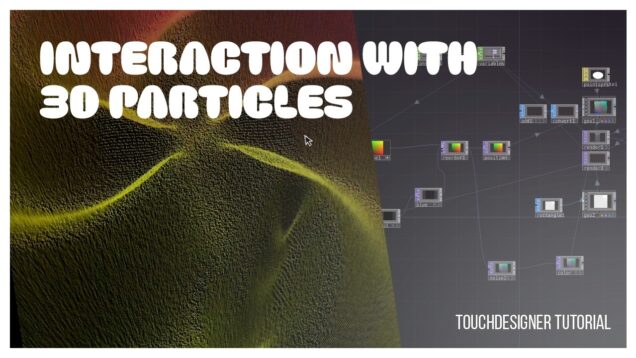
Mark Tutorial Completed! Making 3D particle systems is pretty easy, and making interactive particle systems in 2D is pretty straightforward, but how can we make 3d particle systems that are still interactive? In this tutorial, I explore a simple method for 3d particle interaction using render picking on a single piece of geometry that I […]
Mark Tutorial Completed! This demo shows how to use the mouse to generate an animated painting interactively, with colour picked up from the live webcam image.
Mark Tutorial Completed! This tutorial uses the Bullet Solver and TDAbleton to create a mouse based interactive in TouchDesigner. We’ll touch on the Bullet Dynamics operators, render picking, adding visual effects, and finally triggering audio in both TouchDesigner and Ableton Live. The project is based on the “multiTouch” example found in the palette, which is […]
Mark Tutorial Completed! This is the first video in a 3-part series on using the Slamtec RPLidar A1 to create interactive visuals in TouchDesigner. In this part, we’re focusing on building a particle system controlled by mouse input. We’ll cover the rest in the next parts which I’m going to post in a few days. […]
Mark Tutorial Completed! In this TouchDesigner tutorial we look at how to create a basic interactive particle system by using the Kinect v2 (works with Azure too), Optical Flow and particlesGPU. We especially have a closer look at the particlesGPU, so you can easily customize the look and behaviour of the particles to your needs. […]
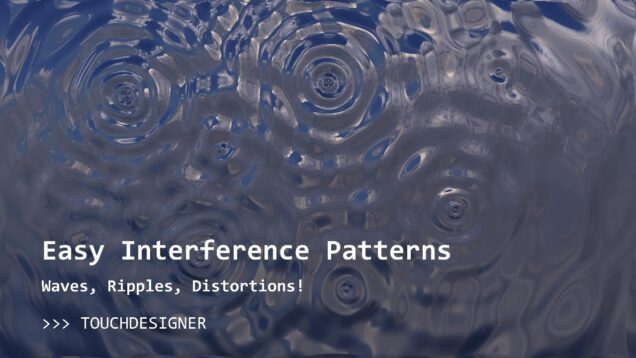
Mark Tutorial Completed! Use simple equations to create complex, dynamic wave patterns, ripples and distortions with TouchDesigner! We will take a look at (just a little bit) of math and theory, using this to create a simple feedback system to generate our visual effect. Click-based interactions make it super easy to experiment with this system […]




![(ES) TouchDesigner Tutorial 57 – CS [Generative Design: P.2.3.1_01 Drawing With Animated Brushes]](https://alltd.org/wp-content/uploads/2025/02/es-touchdesigner-tutorial-57-cs-636x358.jpg)


![Touchdesigner チュートリアル[北陽センサー]触って弾けるインタラクティブアートの作り方](https://alltd.org/wp-content/uploads/2021/12/touchdesigner-4-636x358.jpg)
![TouchDesigner[RealsenseCamera][Particle]Interactive art](https://alltd.org/wp-content/uploads/2021/04/touchdesignerrealsensecamerapart-636x358.jpg)
![Use Mocap / Kinect Easily with UE5 & TouchDesigner [Tutorial] | Unreal Engine OSC](https://alltd.org/wp-content/uploads/2024/12/use-mocap-kinect-easily-with-ue5-636x358.jpg)