Verlet integration in TouchDesigner

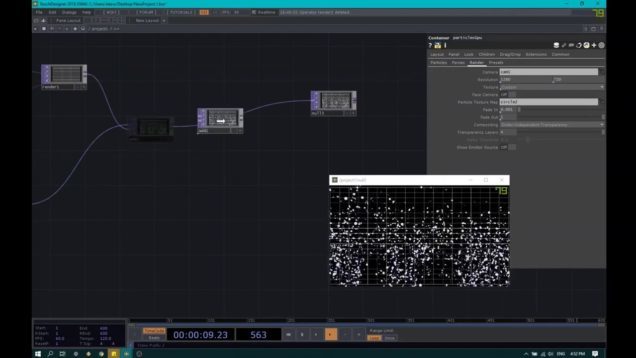
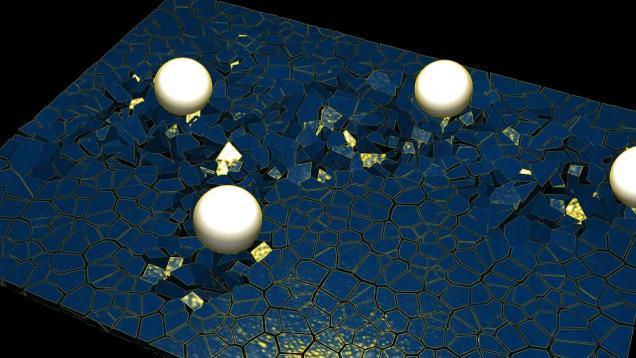
Mark Tutorial Completed! This is how I implemented Verlet integration in TOPs. I think you will need it in your simulations to guarantee stability. I added a collision component, which, although naive, is extremely useful. My tier 2 ‘play’ patrons will benefit from more optimized components, working with a larger number of particles, also the […]
The makings of a 2D game in TouchDesigner

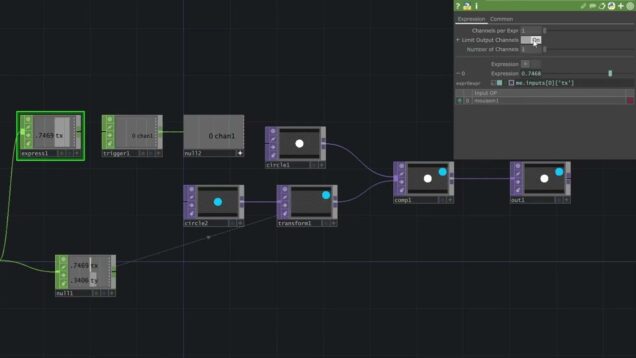
Mark Tutorial Completed! In this video, I show a way that you might start making a 2D game in TouchDesigner. Using a Replicator COMP, driven by a table, I show how to make copies of rectangles and their corresponding collision-detection. This is the beginning of a game that has enemies/treasures/whatever scattered across the screen. The […]

Simple 2D Collision Detection in TouchDesigner

Mark Tutorial Completed! This is a simple example of how you might detect and respond to two shapes colliding/overlapping in TouchDesigner.

collision with particle sensors in Touchdesigner

Mark Tutorial Completed! this is my method for doing a custom particle system from scratch. In this example we solve collision. source file: https://www.patreon.com/posts/66918405 Subscribe to this channel to get notified when I release new videos! You can support me on Patreon https://www.patreon.com/paketa12​​ or follow me on: https://www.instagram.com/paketa12​​ https://www.facebook.com/paketa12​

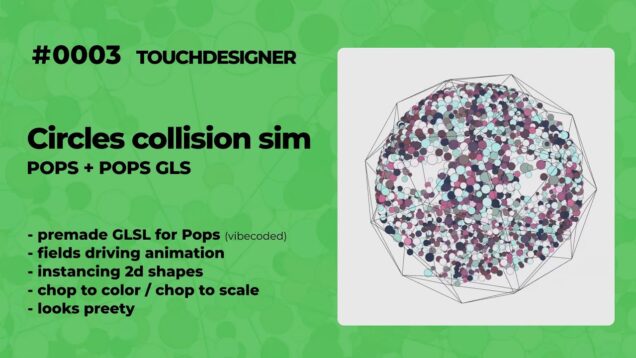
#0003 Collision Circles – Touchdesigner POPS

Mark Tutorial Completed! Touchdesigner experimental version Collision Circles, premade glsl code. Project files for sub tiers on my patreon: https://www.patreon.com/Dr0mp

Bioluminscent tentacle tutorial Pt 1 – TouchDesigner

Mark Tutorial Completed! Make an organic organism of tentacles in TouchDesigner. Part 1 of 2. In this tutorial we make a series of generative tentacles using rules set with POPs – learning how to use Copy templates to utilize custom attributes to make a dynamic moving system, as well as applying image maps to the […]

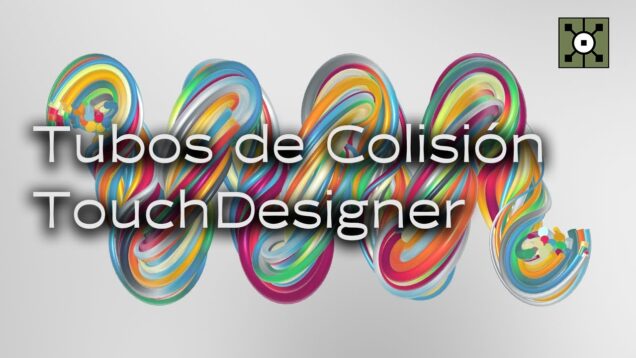
Tubos de Colisión con POPs en TouchDesigner (Tutorial Español)

Mark Tutorial Completed! En este video les enseño a hacer un sistema básico de colisiones entre circulos y a alargarlos para hacer tubos retorcidos, todo con los nuevos operadores POP. Documentación sobre glsl con POPs: https://docs.derivative.ca/Experimental:Write_GLSL_POPs Archivo del proyecto: https://www.patreon.com/posts/tubos-de-132345710 Patreon: https://www.patreon.com/percolated Instagram: https://www.instagram.com/percolated_/ 0:00 Intro 7:48 Collision system 35:59 Trail con círculos 46:45 Color […]

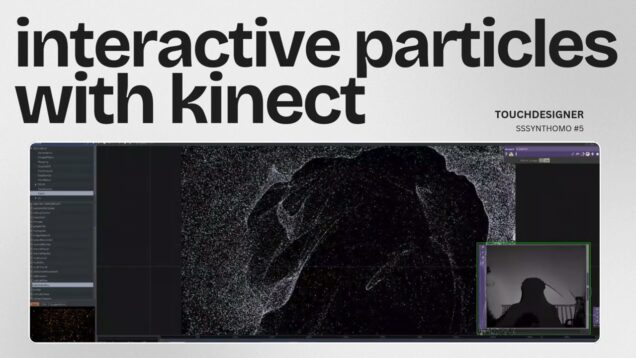
TUTORIAL | Interactive Game with Smartphone | #touchdesigner

Mark Tutorial Completed! TUTORIAL | Interactive Game with Smartphone | #touchdesigner — 👋 Hi, I’m sssynthomo. Thanks for visiting my channel! Here you’ll find tips to grow your knowledge of TouchDesigner ⭐️ Playlist “Touchdesigner”: https://www.youtube.com/playlist?list=PLdNZoaFaHmrWW2PPVXEqES93K0DXLiDjc ⭐️ Interactive Particles with KINECT: https://youtu.be/5FLRvU2g2hw ⭐️ Interactive Line | Mouse IN: https://youtu.be/BwWZitZ1AJ4 ⭐️ YouTube Shorts: https://www.youtube.com/@sssynthomo/shorts PC SETUP: AMD […]

collision with sensors (after party) in TouchDesigner

Mark Tutorial Completed! I said I’ll have this for my patrons but it seems like part 2 of my previous tutorial ‘collision with sensors’ and so I’ll have it here. I really hope you like this tutorial. This .toe file is available for my patrons in tier2 ‘play’. Thank you massive. TD_Voronoi by Yea Chen […]

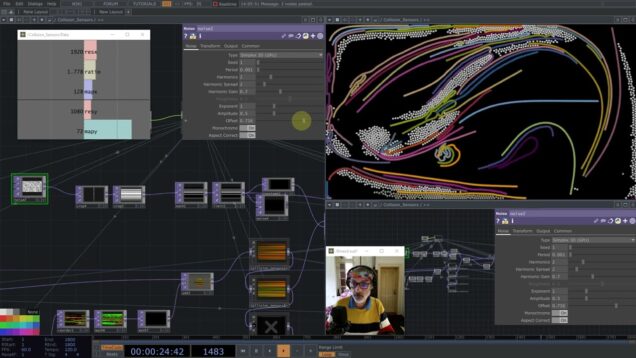
collision with sensors in TouchDesigner

Mark Tutorial Completed! This is my first developed method for collision with search optimization, which can solve the collision of tens of thousands of particles. I really hope you like this method and you make good use of it. Thank you massive for your support. .toe file (Patreon tier 3): https://www.patreon.com/posts/… Subscribe to this channel […]

2D Collision Detection in TouchDesigner

Mark Tutorial Completed! This video explains how it is possible to detect if two shapes on transparent backgrounds actually touch or not when superimposed. The 2dCollisionDetector module discussed in the video and an accompanying example can be downloaded from my Patreon: https://www.patreon.com/posts/2dcollisiondetec-105034911?utm_medium=clipboard_copy&utm_source=copyLink&utm_campaign=postshare_creator&utm_content=join_link —– Introduction: 00:00 Préparation des images: 00:25 Détection de collision: 05:18 Seuil en […]

Détection de collision 2D dans TouchDesigner

Mark Tutorial Completed! Cette vidéo explique comment il est possible de détecter si deux formes 2D sur fond transparent se touchent ou non. Le module de détection 2D dont il est question dans la vidéo et un exemple d’utilisation sont disponibles sur Patreon: https://www.patreon.com/posts/2dcollisiondetec-105034911?utm_medium=clipboard_copy&utm_source=copyLink&utm_campaign=postshare_creator&utm_content=join_link —– Introduction: 00:00 Préparation des images: 00:25 Détection de collision: 05:18 […]

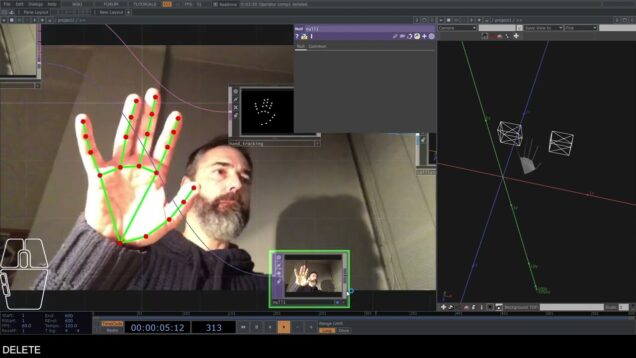
Touchdesigner Hand tracking with Media Pipe with 3D Collision

Mark Tutorial Completed! This video shows how to track your hands with a webcam using Media Pipe Plugin developed by Torin Blankensmith and detect their collision in the 3D world with other objects using Bullet Solver.

BEAT SABER in TouchDesigner 1/2

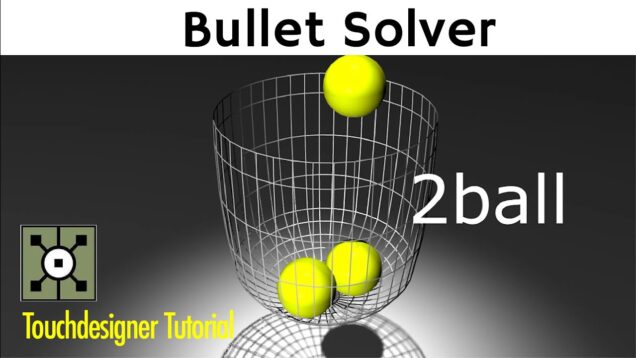
Mark Tutorial Completed! If you get to know about bullet solver more, you must make more interesting experiences. But there are many people that understand it. So i show you some tips through this beat saber. Chapter 0:00 Overview 1:00 Bullet Solver 6:30 Instancing Actors 14:30 Bullet Solver Feedback 16:10 Collision Bullet Solver 詳細 Zenn […]

Touchdesigner tutorial[日本語][BulletSolver][collision]part2

Mark Tutorial Completed! TouchDesignerのBulletSolverを使ってcollision[当たり判定]をとっていきます。パート2のチュートリアルです。 パート1はこちら TouchDesigner tutorial[日本語][BulletSolver][collision]Part1 パート1で球体に重力と当たり判定[collision]を設定する事ができました。 今回はその球体1つ1つを認識させて当たったら光ようにプログラムしていきます。 BulletSolver内でのオブジェクトの当たり判定はBulletSolver Chopを使います。 1つ1つの球体ポジションが数値として取れるので、あとはObject chopを使って距離を測り1定の距離に近づくと反応するように設定していきます。 —————————————- Touchdesigner tutorial[日本語][BulletSolver][collision]part2 0:18 BulletSolver Chopの設定 1:13 球体のポジションに変換 2:29 chopに変換して当たり判定をとる 7:15 球体を光らせる 11:30 bloomで加工 —————————————- ぎまパパチャンネル[プロジェクションマッピング/Scratch/TouchDesingnerの使い方/VJ] https://www.youtube.com/channel/UCes28LH1ggowLvNBa_sR5Sw FaceBook https://www.facebook.com/hiroshige.gima Twitter Tweets by gimapapa #touchdesigner #BulletSolver #collision

TouchDesigner tutorial[日本語][BulletSolver][collision]Part1

Mark Tutorial Completed! TouchDesignerのBulletSolverを使ってcollision[当たり判定]をとっていきます。BulletSolverを使っているので重力も加えています。 マウスで操作するActorの球体とBulletSolverで配置したActorの球体が当たると反発し光ります。 今回のTouchDesigner tutorialではActor同士の当たり判定[collision]と球体を複数配置してBulletSolverの中で枠を作っていきます。 collisionを一つ一つ認識させ当たると光るプログラムはpart2で紹介します! —————————————— 1:40 マウスで操作するActor 5:23 重力で制御するActor 7:08 ActorとActorの当たり判定[collision] 8:57 BulletSolverの中で枠を作る —————————————— ぎまパパチャンネル[プロジェクションマッピング/Scratch/TouchDesingnerの使い方/VJ] https://www.youtube.com/channel/UCes28LH1ggowLvNBa_sR5Sw FaceBook https://www.facebook.com/hiroshige.gima Twitter Tweets by gimapapa #touchdesigner #BulletSolver #collision

Nvidia Flex Emitter and Collision Basics in TouchDesigner – Tutorial

Mark Tutorial Completed! Get access to 100+ hours of TouchDesigner video training, a private Facebook group where Elburz and Matthew Ragan answer all your questions, and twice-monthly group coaching/mastermind calls here: http://iihq.tv/Trial After working through initial concepts and tools in the previous Flex-focused video, you’re probably ready to start working with the realistic particle-based fluid […]

Nvidia Flex Emitter and Collision Basics in TouchDesigner – Tutorial

Mark Tutorial Completed! Get access to 100+ hours of TouchDesigner video training, a private Facebook group where Elburz and Matthew Ragan answer all your questions, and twice-monthly group coaching/mastermind calls here: http://iihq.tv/Trial After working through initial concepts and tools in the previous Flex-focused video, you’re probably ready to start working with the realistic particle-based fluid […]

26 fract(UV) and TOP Collsion Detection

Mark Tutorial Completed! Hi, in this video i will reply to some emails. People were asking a bit of help when the glsl TOP come in top play. Here we will see how to use the fractional component of a vector and how to use the sum of the alpha of two incoming images as […]

Boundary Detection and Position Limiting – Code in Description – Another TouchDesigner Tutorial

Mark Tutorial Completed! The Python code used in this tutorial is located below the video timestamps in this description. In this video, we’ll continue to look at basic video game functionality within TouchDesigner by creating a boundary detection and position limiting system for simple 2D geometry. We’ll use the system to restrict the movement of […]

Разбор интерактивной инсталляции (3/3) — Алексей Карпик

Mark Tutorial Completed! В этой серии видео Алексей рассказывает о создании интерактивной инсталляции – https://www.instagram.com/p/CLiJBlsCl3W/ Ссылки: screen space reflections https://habr.com/ru/post/244367/ opengl transformation http://www.songho.ca/opengl/gl_transform.html Таймкод: 0:00 – Screen space reflections 2:07 – Water normal map 3:28 – Ray marching 9:28 – Enviroment reflections 11:40 – Water circles Канал Алексея: https://t.me/karpik_realtime Собеседник – Alexey Lysenko https://t.me/abesmon

Разбор интерактивной инсталлиции (2/3) — Алексей Карпик

Mark Tutorial Completed! В этой серии видео Алексей рассказывает о создании интерактивной инсталляции в Touchdesigner – https://www.instagram.com/p/CLiJBlsCl3W/ Ссылки: sdf torus https://www.iquilezles.org/www/articles/distfunctions/distfunctions.htm remapping functions https://www.iquilezles.org/www/articles/functions/functions.htm planar reflections https://www.youtube.com/watch?v=toObgrxKTlU&feature=youtu.be Таймкод: 0:00 – Introduction 0:18 – Scene geometry 8:13 – Stones collision Канал Алексея: https://t.me/karpik_realtime​ Собеседник – Alexey Lysenko https://t.me/abesmon​

Разбор интерактивной инсталляции (1/3) — Алексей Карпик

Mark Tutorial Completed! В этой серии видео Алексей рассказывает о создании интерактивной инсталляции в Touchdesigner – https://www.instagram.com/p/CLiJBlsCl3W/ Таймкод: 0:00 – Introduction 0:18 – Scene geometry 8:13 – Stones collision Канал Алексея: https://t.me/karpik_realtime​ Собеседник – Alexey Lysenko https://t.me/abesmon​

2D Collision Detection – TouchDesigner Tips, Tricks and FAQs 11

Mark Tutorial Completed! In this TouchDesigner tutorial we create a component which can detect when objects are on top of each other (colliding). This works for any 2D input with alpha. You could also render a 3D scene and use it there, it just works on the u v axis though. —– 00:00 Intro / […]

TouchDesignerでGame作り[パート4]

Mark Tutorial Completed! TouchDesignerでゲーム作り今回で4回目(ゲーム作りのチュートリアル終了) これまでのチュートリアル3回で全体的な動きと撃った玉が当たる(当たり判定)まで認識させる事ができました。 今回は当たったら-1や音がなるなど細かいところを作っていきます。 ※ロケット側の動きと当たり判定はUFO側と同じようにすればできるので作り方は省きました。 TouchDesignerでGame作り[パート3] ぎまパパチャンネルHP[プロジェクションマッピング・Scratch・TouchDesingnerの使い方] https://oneaction.mobi/gimapapa/ FaceBook https://www.facebook.com/hiroshige.gima Twitter Tweets by gimapapa #TouchDesigner

TouchDesignerでGame作り[パート3]

Mark Tutorial Completed! TouchDesignerでゲームを作っていきます(パート3) 前回まででキャラクターの動きと玉を撃つまでは完成しました。 今回は撃った玉とUFOの当たり判定をとっていきます。 Object Chopを使って玉とUFOの距離を測り、三角形の関数を利用して[当たり]と認識させます。 三平方の定理といいます。 一見難しそうに見えるんですが、一度理解すると簡単です。 ぎまパパチャンネルHP[プロジェクションマッピング・Scratch・TouchDesingnerの使い方] https://oneaction.mobi/gimapapa/ FaceBook https://www.facebook.com/hiroshige.gima Twitter Tweets by gimapapa TouchDesignerでGame作り[パート2] TouchDesignerでGame作り[パート4] #TouchDesigner

TouchDesignerでGame作り[パート2]

Mark Tutorial Completed! TouchDesignerを使って簡単なゲームを作り パート2 今回はUFO(敵キャラ)を自動的に動かして、玉との当たり判定をとるバリアみたいなもの(Collider)をつけていきます。 TOP(2D)で動かすUFOと、SOP(3D)で動かすCircleとの動きを合わせてください。 TouchDesignerでGame作り[パート1] TouchDesignerでGame作り[パート3] ぎまパパチャンネルHP[プロジェクションマッピング・Scratch・TouchDesingnerの使い方] https://oneaction.mobi/gimapapa/ FaceBook https://www.facebook.com/hiroshige.gima Twitter Tweets by gimapapa #TouchDesigner

5 – Touchdesigner Particle Floor

Mark Tutorial Completed! My take on Josh Baptista’s – Interactive Floor Projection.

Touchdesigner Mograph Tutorial

Mark Tutorial Completed! This tutorial is about how to control geometric parameters using textures. Этот урок о том, как управлять геометрическими параметрами, используя текстуры. https://drive.google.com/open?id=1KfUBU4jN-UVCMlOsQjaAAHe379zluSCX