Mastering GLSL in TouchDesigner, Lesson 6: Basic Procedural Noise
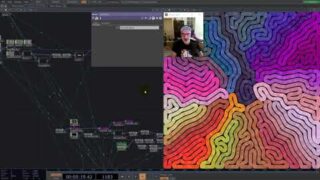
In this lesson of Mastering GLSL in TouchDesigner, we dive into procedural noise, a fundamental tool for generating organic textures and patterns in shaders. You’ll learn about random and pseudo-random numbers, different types of noise (Perlin, Simplex, Value, Worley, Cellular, and Voronoi), and how noise functions can be used to create smooth, natural-looking variations in generative visuals.
📌 Key Topics Covered:
✅ What is procedural noise, and why is it useful?
✅ Understanding random vs. pseudo-random numbers in GLSL
✅ Overview of Perlin, Simplex, Value, and Cellular noise
✅ Writing custom noise functions (rand(), Value noise) in GLSL
✅ Manipulating noise with scaling, translation, rotation, and warping
✅ Using built-in TouchDesigner noise functions (TDSimplexNoise, TDPerlinNoise)
🎨 Exercises & Challenges:
🛠️ Create an animated texture using only random noise
🛠️ Draw straight lines and distort them with Perlin noise
🛠️ Use Simplex noise to modulate an outlined circle
🛠️ Warp the domain of an RGB noise function to create dynamic visuals
🔗 Further Learning: The Book of Shaders – Noise
Find me online:
🔹 Project Files & Patreon: https://www.patreon.com/water__shed
🔹 Portfolio: https://www.lakeheckaman.com
🔹 Instagram: https://instagram.com/lake_heckaman
00:00 – Start
00:04 – Intro to Basic Noise in GLSL
01:45 – What is procedural noise?
05:06 – Creating a simple noise shader from scratch
09:32 – Perlin and Simplex Noise in TouchDesigner
14:55 – Built-in noise functions in TouchDesigner
16:38 – Begin TouchDesigner Noise Shader Examples – Random
18:37 – Building intuition – accumulating random values to create organic patterns
23:20 – Value Noise
26:51 – Domain Manipulation and Noise Shaders in GLSL
30:07 – RGB Simplex Noise shader in TouchDesigner
32:55 – Exercises
About The Author