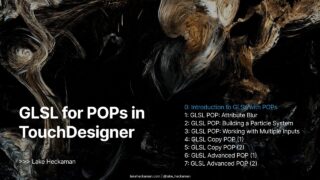
GLSL for POPs in TouchDesigner: Lesson 1 (Attribute Blur and Neighbor POP)
In this lesson of GLSL in POPs, we create a motivational example: building an Attribute Blur component using the NeighborPOP and a GLSL POP. Attribute blur is a classic computer graphics technique where the value of an attribute is smoothed by averaging over its neighbors. This is a powerful way to create continuity in particle systems, smooth noisy data, and generate more organic visual effects.
We’ll walk through how the NeighborPOP provides neighbor information, how to loop through those neighbors in GLSL, and how to apply different blur modes — from averaging, to taking minimum or maximum values. You’ll see how the same pipeline can be applied to blur Color, Position, or even custom attributes.
📌 Key Topics Covered:
✅ What Attribute Blur is and why it’s useful in generative systems
✅ How the NeighborPOP returns neighbor indices and data
✅ Writing a GLSL POP that loops over neighbors
✅ Implementing multiple blur modes (Average, Min, Max) in GLSL
✅ Applying attribute blur to Color and extending it to other attributes (P, velocity, custom)
✅ Building a reusable pipeline for neighbor-based attribute manipulation
🎨 Exercises & Challenges:
🛠️ Use the Attribute Blur pipeline to smooth particle positions (P) in a noisy point cloud
🛠️ Apply blur to a custom attribute created in Lesson 0
🛠️ Experiment with different neighborhood sizes and weighting schemes
🛠️ Switch between Average, Min, and Max modes to compare visual results
🔗 Further Learning:
TouchDesigner Docs: https://docs.derivative.ca
Writing GLSL POPs: https://derivative.ca/UserGuide/Experimental:Write_GLSL_POPs
Mastering GLSL in TouchDesigner (Intro Course): https://www.patreon.com/collection/1268383?view=expanded
Find me online:
🔹 Project Files & Patreon: https://www.patreon.com/water__shed
🔹 Portfolio: https://www.lakeheckaman.com
🔹 Instagram: https://instagram.com/lake_heckaman
Timestamps:
00:00 – Start
00:10 – Introduction to Attribute Blur in computer graphics
02:05 – How the NeighborPOP operator works in TouchDesigner
05:20 – Setting up NeighborPOP + GLSL POP pipeline
08:40 – Writing the GLSL attribute blur algorithm
12:15 – Implementing Average, Min, and Max blur modes
15:30 – Blurring the Color attribute example
18:45 – Extending attribute blur to Position and custom attributes
21:00 – Exercises and creative variations
About The Author