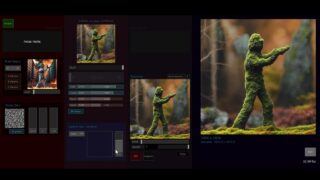
Real-time diffusion in TouchDesigner – StreamdiffusionTD Setup + Install + Settings
Important ! This uses TouchDesigner 2023 and will not work in TouchDesigner 2022.
Important ! You may need to also download + NDI-SDK & install Visual Studio
A quick starting guide on StreamDiffusionTD. available here -https://www.patreon.com/dotsimulate
StreamDiffusion github – https://github.com/cumulo-autumn/StreamDiffusion
Installing Visual Studio / Desktop development with C++ – (needed for ndi-python)
Download from https://visualstudio.microsoft.com/downloads/, make sure to install “Desktop development with C++”
Installing NDI-SDK (needed for ndi-python) – https://ndi.video/download-ndi-sdk/
Adding GIT to PATH on windows – download / install & check add to PATH when asked
if already installed and not in PATH – https://www.delftstack.com/howto/git/add-git-to-path-on-windows/
00:00 Introduction to StreamDiffusionTD
00:48 System Requirements for StreamDiffusionTD
01:12 Setting up operator in network
01:37 Downloading StreamDiffusion repo
02:10 Installing venv (first install only)
03:04 Setting Model + parameters before Stream
03:30 Step Schedule part 1
03:46 Similar Image Filter
04:00 Starting the Stream / Cmd window
04:41 Disable / Enable to see Stream bug
05:10 Seed
05:47 Prompts
06:16 Setting up Prompt Box
07:10 Negative Prompts do NOT work
07:22 Step Schedule part 2
08:16 Guidance Scale / Delta
08:47 Experiment !
09:16 Lora loader page
09:33 Callbacks
10:03 Stopping the Stream
10:09 Setting OSC Ports / Stream name
10:18 Visible Window (ON is default)
10:32 Say hey on discord !
11:00 Thanks !!

About The Author