DIA 1 MARATON NTRCTV – TOUCHDESIGNER

Mark Tutorial Completed! Hola HUMANX La maraton tiene como objetivo incentivar el uso de TouchDesigner como plataforma de desarrollo, partiendo de las facilidades que nos brinde en el proceso de apredizaje de PROGRAMACIXN, gracias a su interfas visual, sus multiples campos de aplicación y su capacidad de integración con demas softwares, protocolos y dispositivos perifericos. […]

2. Operadores e Conexões | Fundamentos do TouchDesigner (Português pt-BR)

Mark Tutorial Completed! Introdução básica para novos usuários sobre operadores e conexões no TouchDesigner. (pt-BR) TouchDesigner by Derivative Versão utilizada: 2023.12370

OP Shortcuts in TouchDesigner

Mark Tutorial Completed! Learn about the types of OP shortcuts in TouchDesigner and how to use them to simplify development and keep your projects clean. Patreon: https://www.patreon.com/c/tekt 0:00 Intro 0:25 Global OP Shortcuts 2:51 Parent Shortcuts 4:56 Internal OP Shortcuts 11:54 Summary 12:52 Outro

Touchdesigner Eğitimi – Operatör Bağlantıları, Linkler & Referanslar

Mark Tutorial Completed! Bu bölümde, programın operatör bağlantıları ve referansları hakkında bilgi verdim. Operatörlerin bağlantıları, referansları ve veri akışları hakkında detaylı bilgiler öğrenebilirsiniz. Sorularınızı lütfen yorum kısmında belirtin.

Touchdesigner Eğitimi – Operatör Anatomisi

Mark Tutorial Completed! Serinin bu bölümünde, programın operatör anatomisinden bahsediyoruz. Bu bölümde, Touchdesigner programının node’ları, node’lar arası veri akışı, parçaların nasıl organize edildiği ve fonksiyonları hakkında detaylı bilgiler veriliyor.

Touchdesigner Eğitimi – Network Anatomisi

Mark Tutorial Completed! Touchdesigner programı için hazırlamış olduğum eğitim setinde bu bölümde, programın network anatomisinden bahsettim. Bu bölümde, Touchdesigner programının node’ları, node’lar arası veri akışı, parçaların nasıl organize edildiği ve fonksiyonları hakkında detaylı bilgiler verildi.

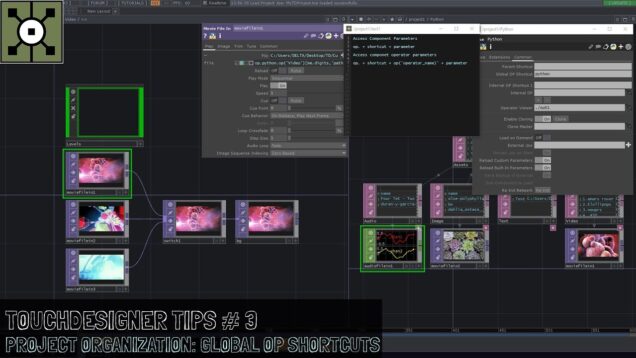
Touchdesigner Tips #3: Project Organization – Global OP Shortcuts

Mark Tutorial Completed! Hello everyone, Welcome to this new touchdesigner Tip # 3. This tip is a continuation to have your projects well organized, in this case we’re going to learn how to access to specific locations from any other location on your project using shortcuts, and in this case the Global OP shortcut. Enjoy […]

03 – Creating Operators – TouchDesigner Beginner Crash Course

Mark Tutorial Completed! Get access to 90+ hours of TouchDesigner video training, a private Facebook group where Elburz and Matthew Ragan answer all your questions, and twice-monthly group coaching/mastermind calls here: http://iihq.tv/Trial Course Downloads: https://iihq.tv/BeginnerDownloads TouchDesigner Beginner Crash Course Contents 00 – Introduction: https://youtu.be/g20Qwg8gMBE 01 – Get Started & Downloads: https://youtu.be/JcbAaAqXvgc 02 – Mouse Navigation: […]

09 – Introduction aux Data Operators (DAT) – Découvrir TouchDesigner

Mark Tutorial Completed! Dans cette vidéo, nous regardons les caractéristiques générales des DATs (data operators) et réalisons de petits réseaux pour apprendre à les utiliser. —– Introduction: 00:00 Type de données: 01:13 Exemple (Text DAT): 02:22 Exemple (Web Client DAT + Scripts): 07:40 Field et Button (COMP): 23:47 Amarrage (Docking): 32:40 Conclusion: 34:18 —– Cette […]

07 – Introduction aux Surface Operators (SOP) – Découvrir TouchDesigner

Mark Tutorial Completed! Dans cette vidéo, nous regardons les caractéristiques générales des SOP (surface operators) et réalisons de petits réseaux pour apprendre à les utiliser. —– Introduction: 00:00 Options de visualisation: 01:45 Fusion de géométries: 09:00 Type de données (Geo-Detail): 09:48 Exemple (Sphere + Noise): 11:05 Importation de géométries: 18:11 Rendu: 20:48 Conclusion: 28:05 —– […]

06 – Introduction aux Channel Operators (CHOP) – Découvrir TouchDesigner

Mark Tutorial Completed! Dans cette vidéo, nous passons en revue les caractéristiques générales des CHOP (channel operators) et réalisons de petits réseaux pour apprendre à les utiliser. —– Introduction: 00:00 Exemple 1 (signal audio): 01:15 Clip: 12:55 Exemple 2 (clips + ajout de canaux): 14:42 Expression et importation: 24:59 Conclusion: 36:00 —– Cette vidéo fait […]

05 – Introduction aux Texture Operators (TOP) – Découvrir TouchDesigner

Mark Tutorial Completed! Dans cette vidéo, nous regardons les caractéristiques générales des TOP (texture operators) et réalisons de petits réseaux pour apprendre à les utiliser. —– À propos des TOPs: 00:00 Exemple 1 (Circle + Blur + Out): 03:01 Exemple 2 (Text + Transform + Mouse In): 11:11 Exemple 3 (Video Device In + Crop […]

04 – Familles & catégories d’opérateurs – Découvrir TouchDesigner

Mark Tutorial Completed! Dans cette vidéo, nous passons sommairement en revue les familles (TOP, CHOP, SOP, MAT, DAT et COMP) et les catégories d’opérateurs disponibles dans TouchDesigner. —– Introduction: 00:00 Familles: 00:11 Catégories: 02:14 —– Cette vidéo fait partie d’une série de tutoriels en français sur le logiciel TouchDesigner. Les vidéos de la série sont […]

04 – Familles d’opérateurs – Découvrir TouchDesigner

Mark Tutorial Completed! Dans cette vidéo, je vous présente les 6 grandes familles d’opérateurs disponibles dans TouchDesigner (TOP, CHOP, SOP, MAT, DAT, COMP). Pour se familiariser avec chacune d’elle, nous développerons de petits réseau faciles utilisant une variété d’opérateurs. Cette vidéo fait partie d’une série de tutoriels en français sur le logiciel TouchDesigner: https://www.youtube.com/watch?v=X5jISlVN228&list=PLcFE6sk2J11-EIdH28uAXwewoEAT135PP —– […]

03 – Ajout d’opérateurs – Découvrir TouchDesigner

Mark Tutorial Completed! Apprenez les différentes façons d’atteindre et de naviguer la fenêtre d’ajout d’opérateur dans TouchDesigner. Cette vidéo fait partie d’une série de tutoriels en français sur le logiciel TouchDesigner: https://www.youtube.com/watch?v=X5jISlVN228&list=PLcFE6sk2J11-EIdH28uAXwewoEAT135PP —– L’image utilisée en introduction est un création de Matthew Ragan. Elle est utilisée selon les termes d’une licence Creative Commons (BY-SA 2.0). […]

Touch Designer Basics_003 – Operator’s Family / 入门基础 – 6大元件家族系列

Mark Tutorial Completed! Touch Designer Basics_003 – Operator’s Family Touch Designer 入门基础_003 – 6大元件家族系列 by – Ignatius Low 罗资翔 TouchDesigner #003 / Build 2020.26639 / Windows 10 ———-Contacts / 联系方式 ———- Instagram: blackbody_emission E-mail: studioblackbodyemission@gmail.com WeChat: LowZiXiang97 (Remark: Name, School or Company Name, Where you got this invitation? ) (备注:名字、学校/公司、那里取得信息?)

New TouchDesigner Operators Tutorial: Sprinkle SOP & JSON DAT

Mark Tutorial Completed! Get access to 70+ hours of TouchDesigner video training, a private Facebook group where Elburz and Matthew Ragan answer all your questions, and twice-monthly group coaching/mastermind calls here: https://bit.ly/2zJ0lmt We’re fortunate in the TouchDesigner world to get new operators regularly. Two new ones that are rolling out in the experimental builds are […]

Secret TouchDesigner Operator Tricks With paketa12 & Elburz

Mark Tutorial Completed! Get access to more content like this – including 50+ hours of TouchDesigner video training, a private Facebook group where Elburz and Matthew Ragan answer all your questions, and twice-monthly group coaching/mastermind calls – here: https://bit.ly/2zJ0lmt paketa12 shows a few techniques in TOPs, including the ways you can use the new pixelRepack […]

05 – Operators – TouchDesigner Beginner Course

Mark Tutorial Completed! In this video, we have a closer look into operators and how they are structured. —— 00:00 OP Structure 04:17 Connecting Operators 09:26 Viewer (Active) 12:28 Parameters —— Files, exclusive content and more: https://www.patreon.com/elekktronaut Full playlist: Special thanks to: Jules Guerin, AhnthinkgooD, Eric Anderson, Nikolai Reinke, Rob, Xenia Format, Jeppe Vinum, Teruhisa, […]

04 – Operator Families – TouchDesigner Beginner Course

Mark Tutorial Completed! In this tutorial, I go over the diffent types of operators, so called “Operator Families” and breifly explain how you can convert from one to another. —— 00:00 Intro (About Data) 01:00 Operator Menu (OP Create Dialog) 02:22 TOPs (Texture Operators) 03:59 CHOPs (Channel Operators) 05:29 SOPs (Surface Operators) 06:11 MATs (Materials) […]