Selective Blur / Glitch Portal Effect [TouchDesigner Tutorial]
TouchDesigner Experimental Visual -Organic Lens Distortion & Feedback Blur Effect
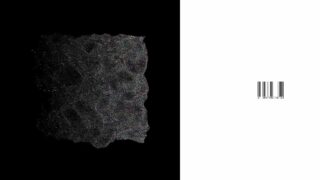
in this tutorial, we’ll recreate a surreal blur motion inspired by google street view’s privacy blur system.starting from a simple video input, we’ll use lens distortion, feedback, and displace blur to create an organic, mosaic-like motion that feels alive and cinematic.
you’ll learn how to:
use lfo to animate distortion parameters
balance tones with level & hsv adjust
generate abstract shapes using threshold & ramp
create a feedback loop that adds motion depth
combine displacement with blur & resolution scaling
finish with clean composite & movie out for export
this workflow shows how procedural visuals can transform normal footage into something deeply atmospheric – a mix of distortion, rhythm, and texture that responds to motion.
Video source in the Movie File In node: LOVE & POP_(ft.ChanelBeads) — (Final1_Grade004).mp4,Oklou – family and friends,Ouri – Paris,Oklou & FKA twigs – viscus
background music & sound design : junge
As an artist, not a traditional educator, I’m excited to share my methods and process for creating effects in TouchDesigner. Don’t forget to subscribe…!
#touchdesigner #visualeffects #motiondesign #feedbackloop #displace #lensdistortion#experimentalvisuals #generativeart #proceduraldesign #mosaiceffect #realtimevisuals#xtal #touchdesignertutorial #visualart #digitalart #abstractvisuals #realtimeart #audioreactive#creativecoding #newmediaart

About The Author

![Glitch any place – Touchdesigner [Tutorial]](https://alltd.org/wp-content/uploads/2025/12/glitch-any-place-touchdesigner-t-320x180.jpg)