POPX Soft Body – Part 1 (TouchDesigner Tutorial)
This is the first part of the POPX Soft Body Simulation tutorial series.
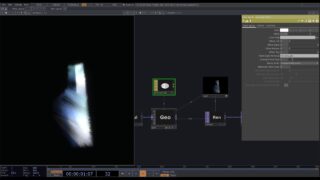
In this episode, we introduce the basics of building a cloth simulation inside TouchDesigner using the POPX Soft Body system. We start by creating a simple cloth geometry and then walk through how to generate constraints using the Constraint operator — the foundation of any soft body or cloth setup in POPX.
You’ll learn how constraint primitives are created, how they define the cloth’s structural behavior, and how they fit into the POPX simulation pipeline.
We also add mouse interaction to the cloth, allowing you to grab and manipulate points in real time, making the example both functional and fun to experiment with.
What we cover:
1. Creating a basic cloth geometry
2. Generating soft body constraints using the Constraints operator
3. Understanding how constraints define cloth behavior
4. Introducing the simulation pipeline for soft bodies
5. Adding interactive mouse control to manipulate the cloth
This episode gives you the fundamental building blocks for working with POPX Soft Body systems and sets the foundation for more advanced setups in later parts.
POPX Website: https://www.popsextension.com
POPX Patreon: https://www.patreon.com/c/_mini_uv


About The Author