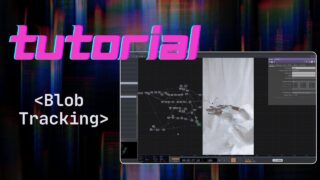
MOTION TRACKING WITH TOUCH DESIGNER – using Media Pipe on Python
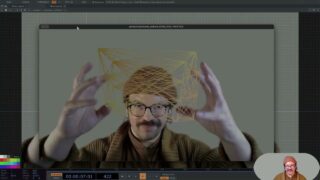
In questo video vedremo come utilizzare TouchDesigner, insieme a MediaPipe e Python, per controllare le animazioni attraverso il movimento della propria mano o del corpo.
Questo ci permetterà di creare interazioni in tempo reale ideali per progetti artistici, installazioni multimediali o live performance.
Per iniziare, ci serviranno tre passaggi fondamentali:
1) Installare Python (consiglio la versione Python 3.10.0 per la compatibilità).
2) Installare tre librerie Python fondamentali per il tracking:
-opencv-python
-mediapipe
-numpy
3) Collegare il codice Python a TouchDesigner, in modo da ricevere i dati di movimento direttamente nel software.
Qui sotto vi mostro il codice che ho utilizzato io per il tracking della mano:
import cv2
import mediapipe as mp
from pythonosc.udp_client import SimpleUDPClient
# === CONFIGURAZIONE OSC ===
osc_ip = “127.0.0.1”
osc_port = 8000
client = SimpleUDPClient(osc_ip, osc_port)
# === MEDIA PIPE ===
mp_hands = mp.solutions.hands
hands = mp_hands.Hands(
max_num_hands=1,
min_detection_confidence=0.7,
min_tracking_confidence=0.7
)
mp_draw = mp.solutions.drawing_utils
# === WEBCAM ===
cap = cv2.VideoCapture(0)
while True:
success, frame = cap.read()
if not success:
break
frame = cv2.flip(frame, 1)
rgb = cv2.cvtColor(frame, cv2.COLOR_BGR2RGB)
results = hands.process(rgb)
h, w, _ = frame.shape
if results.multi_hand_landmarks:
handLms = results.multi_hand_landmarks[0]
mp_draw.draw_landmarks(frame, handLms, mp_hands.HAND_CONNECTIONS)
# Landmark centrale della mano (base del dito medio)
lm = handLms.landmark[9]
norm_x = lm.x # tra 0 e 1
norm_y = lm.y # tra 0 e 1
# Invia via OSC
client.send_message(“/hand/pos_x”, norm_x)
client.send_message(“/hand/pos_y”, norm_y)
# Visualizza sullo schermo
cx, cy = int(norm_x * w), int(norm_y * h)
cv2.circle(frame, (cx, cy), 10, (0, 255, 0), -1)
cv2.putText(frame, f”X: {norm_x:.2f} Y: {norm_y:.2f}”, (10, 30),
cv2.FONT_HERSHEY_SIMPLEX, 0.8, (255, 255, 0), 2)
cv2.imshow(“Hand Position OSC”, frame)
if cv2.waitKey(1) & 0xFF == ord(‘q’):
break
cap.release()
cv2.destroyAllWindows()
About The Author