Mastering GLSL in TouchDesigner, Lesson 8: FBM Noise
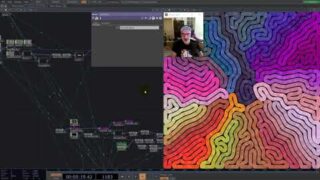
In this lesson of Mastering GLSL in TouchDesigner, we explore Fractional Brownian Motion (FBM) Noise, a powerful technique for layering multiple noise functions to create complex, organic textures. You’ll learn how FBM accumulates scaled noise octaves to introduce self-similarity and fractal patterns, and how to implement it efficiently in GLSL using for loops, gain, and lacunarity.
📌 Key Topics Covered:
✅ Understanding Fractional Brownian Motion and its role in procedural textures
✅ Implementing FBM noise in GLSL using multiple octaves
✅ Adjusting gain and lacunarity to shape the final noise pattern
✅ Enhancing FBM with turbulence and ridge functions for added variation
✅ Applying domain manipulation to distort and stylize noise
🎨 Exercises & Challenges:
🛠️ Implement RGB FBM noise for multi-channel textures
🛠️ Create an FBM noise function with customizable octaves, gain, and lacunarity
🛠️ Use texture sampling as an input to influence FBM parameters
🛠️ Replace a TouchDesigner Noise TOP in a project with FBM—see how it changes the output!
🔗 Further Learning: Inigo Quilez – FBM
Find me online:
🔹 Project Files & Patreon: https://www.patreon.com/water__shed
🔹 Portfolio: https://www.lakeheckaman.com
🔹 Instagram: https://instagram.com/lake_heckaman
00:00 – Intro – FBM Noise Shaders in TouchDesigner
03:11 – What is Fractional Brownian Motion?
09:53 – Building intution about FBM noise concepts
12:50 – Inspiration! Other artworks using FBM noise
15:39 – Writing a FBM noise shader from scratch
19:21 – FBM parameter setup
25:24 – Ridge noise function
28:05 – Turbulence shader function
29:05 – Refactoring FBM noise to function
31:42 – Exercises


About The Author