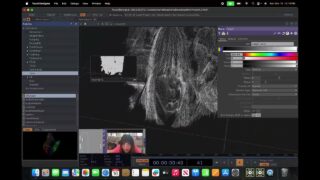
I turned my monitor into a touchscreen | TouchDesigner Tutorial (Part II)
This is the second video in a 3-part series on using the Slamtec RPLidar A1 to create interactive visuals in TouchDesigner. This time, we’re setting up the lidar, calibrate it, and process data stream to get the touch coordinates.
I tried to keep the tutorial short and to the point, so I couldn’t go into every detail of why I do certain things. So, if you have any questions regarding building this network, feel free to ask in the comments!
Have fun!:)
—————————————————————————————–
Slamtec plugin:
https://github.com/Ajasra/SlamtecCHOP/releases
—————————————————————————————–
The official guide on assebling the lidar:
—————————————————————————————–
The previous tutorial (part 1):
—————————————————————————————–
Follow me on social media:
Insta: https://www.instagram.com/anyamaryina
Tiktok: https://www.tiktok.com/@anya_maryina
—————————————————————————————–
Timestamps:
00:00 Intro
00:34 Hardware part
01:51 Software part
03:06 Warning
03:24 How to turn on\off the lidar with Python
04:09 Calibration
09:21 Extra Forces
08:05 Optimization tip
08:58 The actual function of blob tracking
—————————————————————————————–
Music from the video:
Tiburtina -Schwartzy
The Wish – Devon Church
Music by Bensound.com/free-music-for-videos
License code: OKGLLTRSBO74AXQB
Artist: : Diffie Bosman
Track: As Your World Grows Smaller
License code: GOG0KOZHOEUVCDLI
Artist: : Diffie Bosman
Track: Refract
—————————————————————————————–
#touchdesigner #particles #motiongraphics #interactive #lidar #slamtec
About The Author


![Touchdesigner POP Particles constrained to inside an animated Mesh [Teaser]](https://alltd.org/wp-content/uploads/2025/11/touchdesigner-pop-particles-cons-1-320x180.jpg)