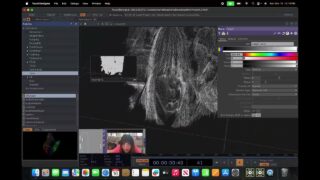
I turned my monitor into a touchscreen | TouchDesigner Tutorial (Part 3)
This is the final video in a 3-part series on using the Slamtec RPLidar A1 to create interactive visuals in TouchDesigner. Let’s combine what we did in the previous videos and make the visual respond to several touches!
I tried to keep the tutorial short and to the point, so I couldn’t go into every detail of why I do certain things. So, if you have any questions regarding building this network, feel free to ask in the comments!
Have fun!:)
—————————————————————————————–
A link to a project file (windows only): https://anyamaryina.gumroad.com/l/interactiveparticles_lidar
—————————————————————————————–
Previous tutorials:
Part 1 – https://youtu.be/Jz-irdEYUZM
Part 2 – https://www.youtube.com/lpPmOXFPlkA
—————————————————————————————–
Follow me on social media:
Insta: / anyamaryina
Tiktok: / anya_maryina
—————————————————————————————–
Timestamps:
00:00 Intro
00:35 Connecting two components
04:53 Multitouch for Optical Flow texture
09:30 Multitouch for Forces
12:33 Outro
—————————————————————————————–
Music from the video:
Tiburtina -Schwartzy
The Wish – Devon Church
Music: Bensound.com/free-music-for-videos
License code: X9RAOPTFNSZYZBV3
Artist: : Diffie Bosman
Track: As Your World Grows Smaller
License code: FJY4G3PEIDZWRGIK
Artist: : Diffie Bosman
Track: Refract
License code: 7I88J9BHHD5UNNDU
Artist: : Theatre Of Delays
Track: Motion
—————————————————————————————–
#touchdesigner #particles #motiongraphics #interactive #lidar #slamtec
![particle disintegration [TOUCHDESIGNER TUTORIAL]](https://alltd.org/wp-content/uploads/2025/07/particle-disintegration-touchdes-100x75.jpg)
About The Author


![Touchdesigner POP Particles constrained to inside an animated Mesh [Teaser]](https://alltd.org/wp-content/uploads/2025/11/touchdesigner-pop-particles-cons-1-320x180.jpg)